Make and model of products from a single manufacturer include a lot of variability in the underlying components and sensors. When you are building IoT solutions to work with a range of connected THINGS from many suppliers, you start to realize the huge challenge you face managing the interaction with this broad and complex device ecosystem. Wouldn’t it be better if the IoT application developer could just interact with a standard resource model and the underlying IoT platform managed the relationship between the model and the real-world devices? Come and learn more about the latest innovations in the Watson IoT Platform.
This session presents the new Information Management capabilities in the Watson IoT Platform for device abstractions and things aggregation that is the basis for the Digital Twin work for IoT.
In 2017 I delivered design concepts for an improved developer experience using simulated devices in the Watson IoT Platform.
What is a Simulated Device
Devices are smart sensors that instrument equipment at the edge. They connect to the IBM Cloud through the Watson IoT Platform. Devices send messages, using the MQTT messaging protocol, to the IoT platform. The messages contain sensor readings formatted as JSON payloads.
To connect a device to the IoT platform developers need an actual physical device. Most IoT developer has devices ready to connect. But in some cases, a lack of an available device may become a delay in exploring the IoT Platform and start developing IoT applications. The IoT Platform should support developers to get started even without a physical device to connect. This blog describes the design of a new flexible capability to set up simulated devices in the Watson IoT Platform.
Design Vision
With Simulated Devices, we want to improve the getting started experience for device and application developers.
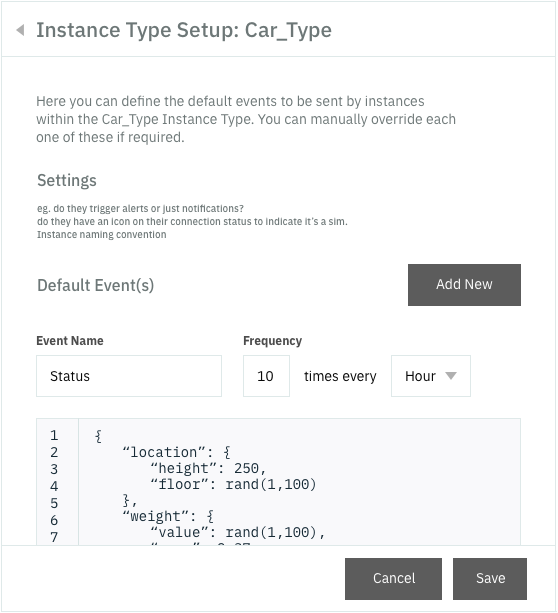
The design vision is to allow users to create simulated virtual devices of a new or an existing device type. Users should be allowed to define the messages that the device should send, set up a schedule for the frequency of messages to be sent, and then turn on the device. Directly in the IoT Platform. As simple as that!
We want to deliver this capability independently of the IoT Platform backend and make the simulator run in the client browser. We also want to be conservative about the number of messages and data volume sent to avoid choking the IoT platform with high volume data or spending the free data plan for trial IoT Platform clients.
User Research
In our research, we identify two developer personas.
Devon, a Device Developer. Devon develops and tests code for a device that integrates sensors and actuators with the OS and CPU board capabilities. He integrates MQTT and device management protocols on the device. He uses SDKs provided by chip manufacturers and applies security by design principles.
Chris, an Application Developer. Chris is developing applications and services in a connected product IoT solution based on a cloud service architecture in IBM Cloud that integrates with the IoT Platform. He develops and tests his components locally and deploys to a team development space in the cloud configured with an IoT Platform using live or simulated device data.
In most cases, Chris may have a device delivered by Devon to use for application development and testing. In other cases, Chris needs a simulator to proceed with exploring the IoT Platform APIs, Data Management interfaces and transformation, State change events, and other aspects of the integration of his IoT Application with devices and data on the IoT Platform.
In this design, we primarily focus on Chris the application developer and his first steps in exploring and getting started with the IoT Platform. We want Chris to quickly get live devices and data. Secondarily we support Devon in his everyday use of the platform to develop new device firmware. Using the simulator, Devon can test and deliver new message schemas to Chris and early validate new firmware specifications with Chris applications running with the IoT Platform.
Hills
We defined the following hill for Chris the application developer
“As a Developer with no prior IoT platform experience, I can within 15 minutes set up a new IoT platform organization and start developing and testing my IoT devices and applications using simulated devices”
“As a Developer creating a new Device Type, I can choose to register a new physical device, or simulate a device of the new type”
Device Simulator Design Concept
The design concept for Simulated Devices identifies that
Simulated devices are a core part of the platform experience
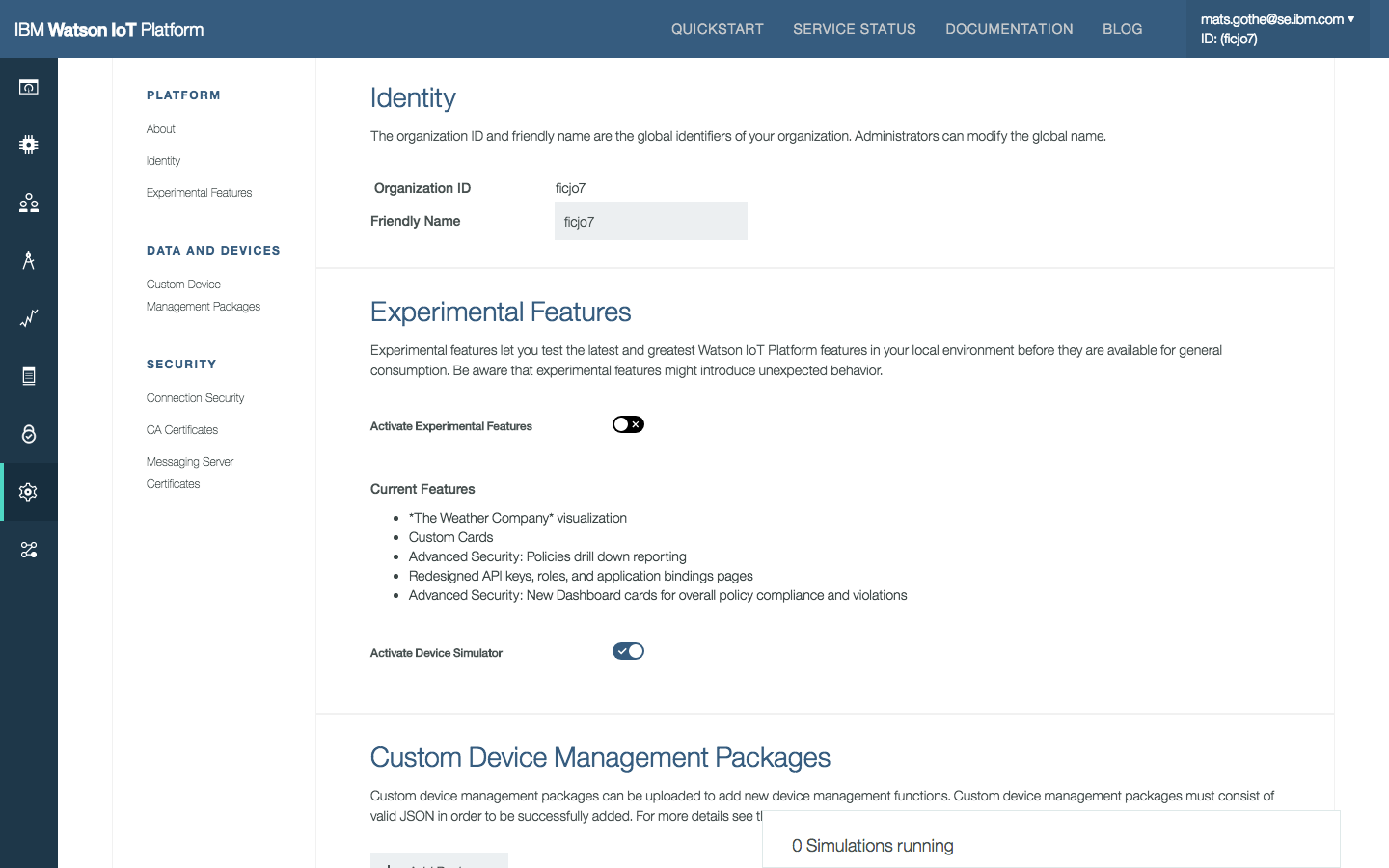
As a developer you opt-in for this capability in IoT platform settings
The simulator is driven by a floating panel easily available from any screen in the IoT platform
Simulated devices act as any other device on the platform; they are of a device type, they have an identity, they send messages to the platform, like any physical device.
Messages from simulated devices act as any message on the platform; they are received on a topic, they are of a message type, they are put into the last message cache, they are passed to applications, like any message from any physical device.
There may be multiple simulated devices of a single device type
There may be simulated devices of multiple device types
There may be both simulated and physical devices of the same device types
Simulated devices may mimic physical devices and send events that are already the last message cache. (So if I once had a device connected that sent a message I have to use a simulator to act as that device and continue to send messages.)
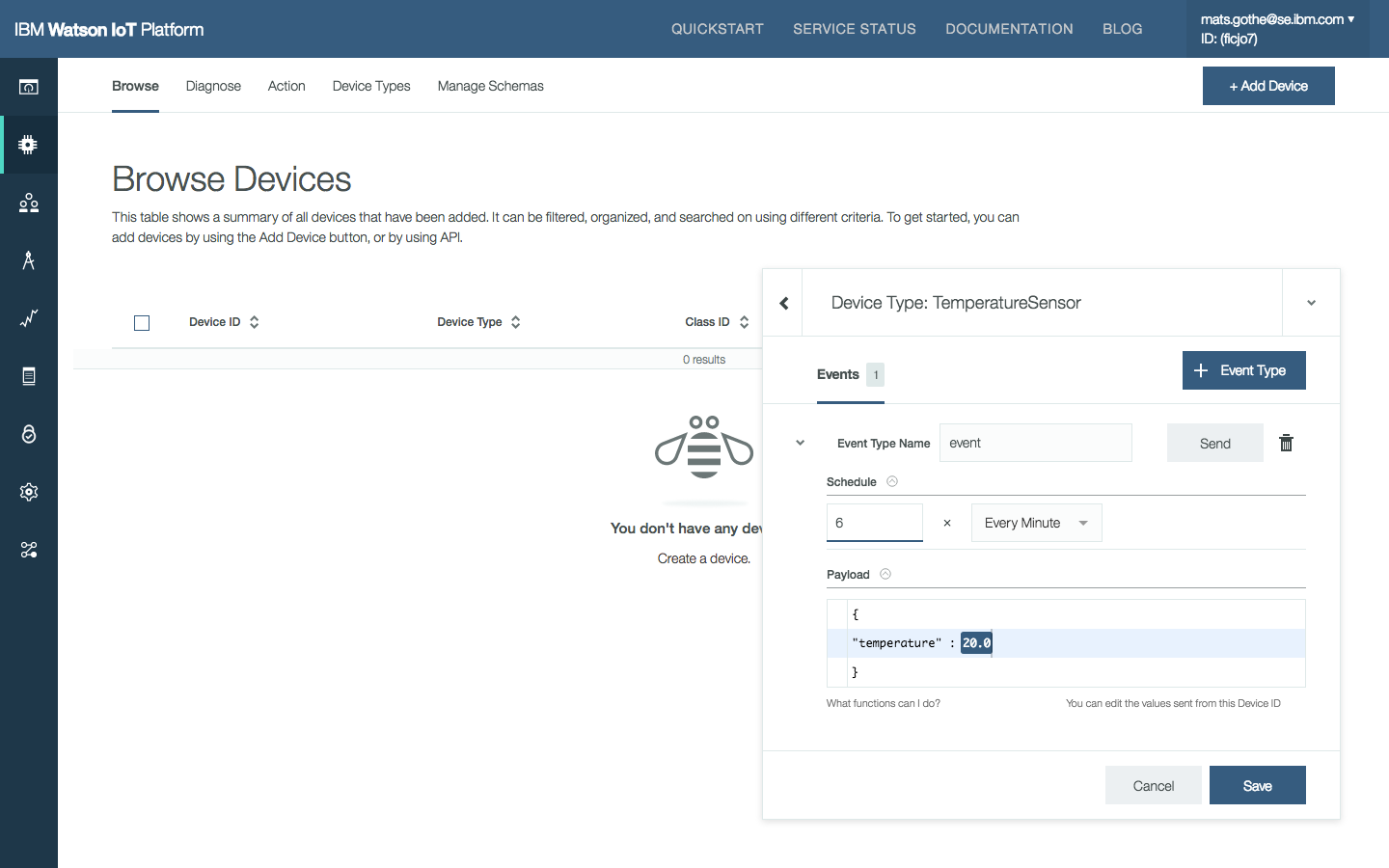
I can set up variability in messages so data randomize between two end-points.
I can set up variability in messages so different simulated devices, of the same type, send different data messages.
The design should also provide shortcuts in other parts of the IoT platform to provide hints to developers to use simulated devices to make progress.
Shortcuts put on IoT platform panels, can set up simulations with one click.
Rather than pulling simulators out in the developer experience and out of context, they are integrated into the development flow
Use-cases
As a developer
I can opt-in and enable simulated devices and get a ‘Simulated” device type added to my organization
I can add (one or more) simulated devices and give them a name (pattern) “MyDevice” or “MyDevice#” and get a default event/payload sent to a topic, alternating over these instances.
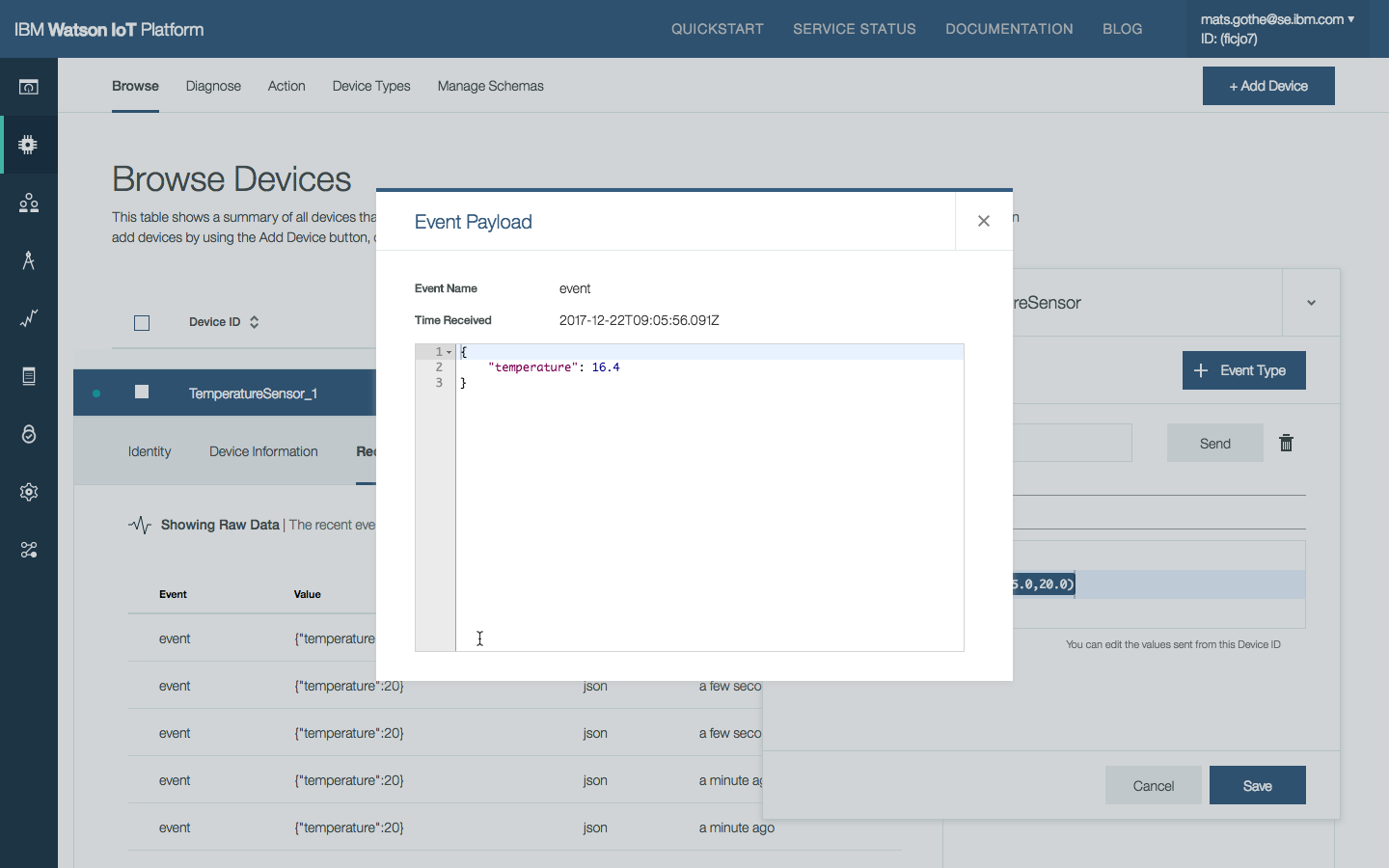
I can browse the list of devices on the platform and view real and simulated device and their state (raw data)
I can specify the JSON payload schema for devices
I can specify a data range for simulated element values
I can add (one or more) additional simulated devices by id
I can specify a different JSON payload schema for different devices
UX Designs
The initial UX design explored two major screens in the IoT Platform.
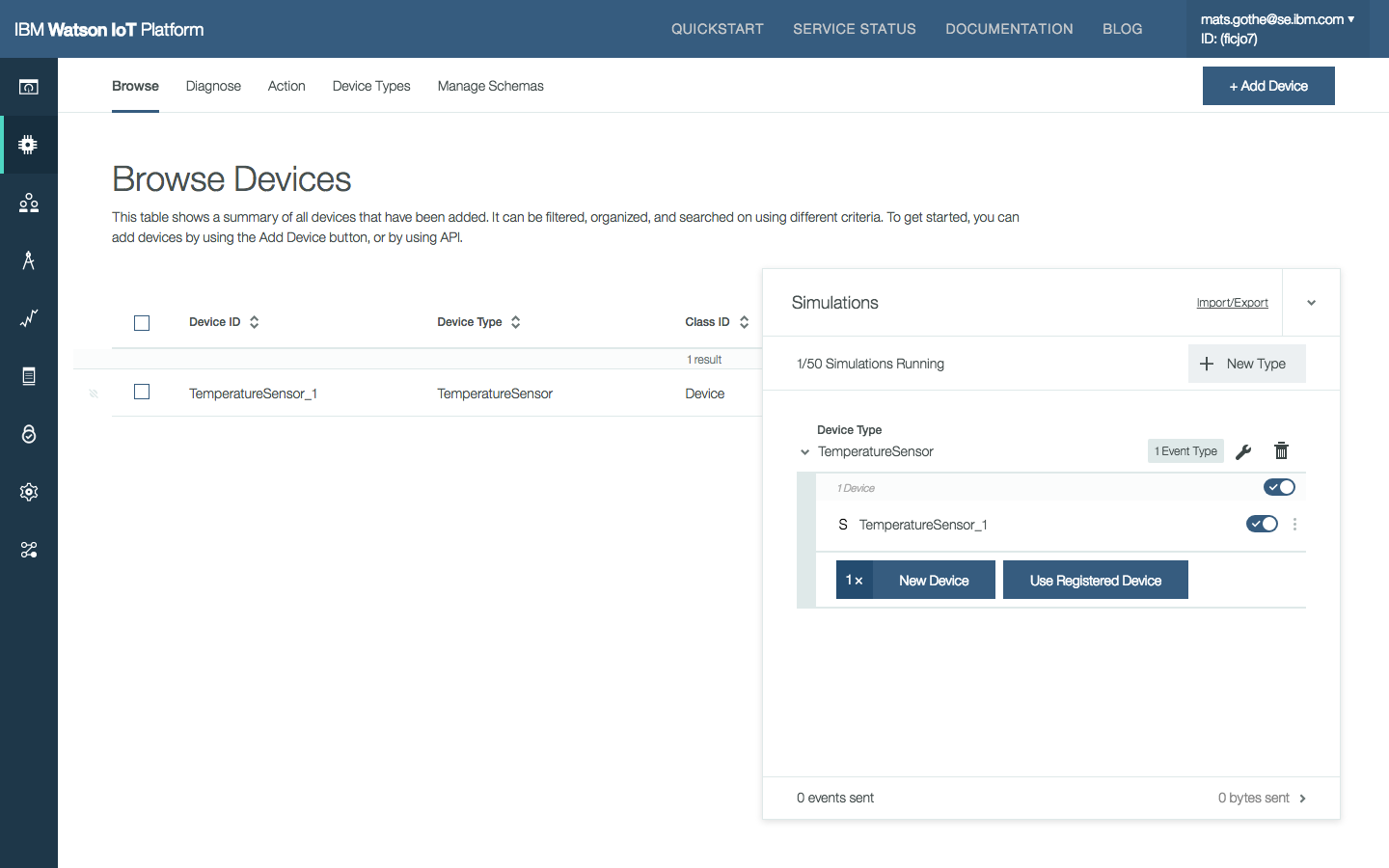
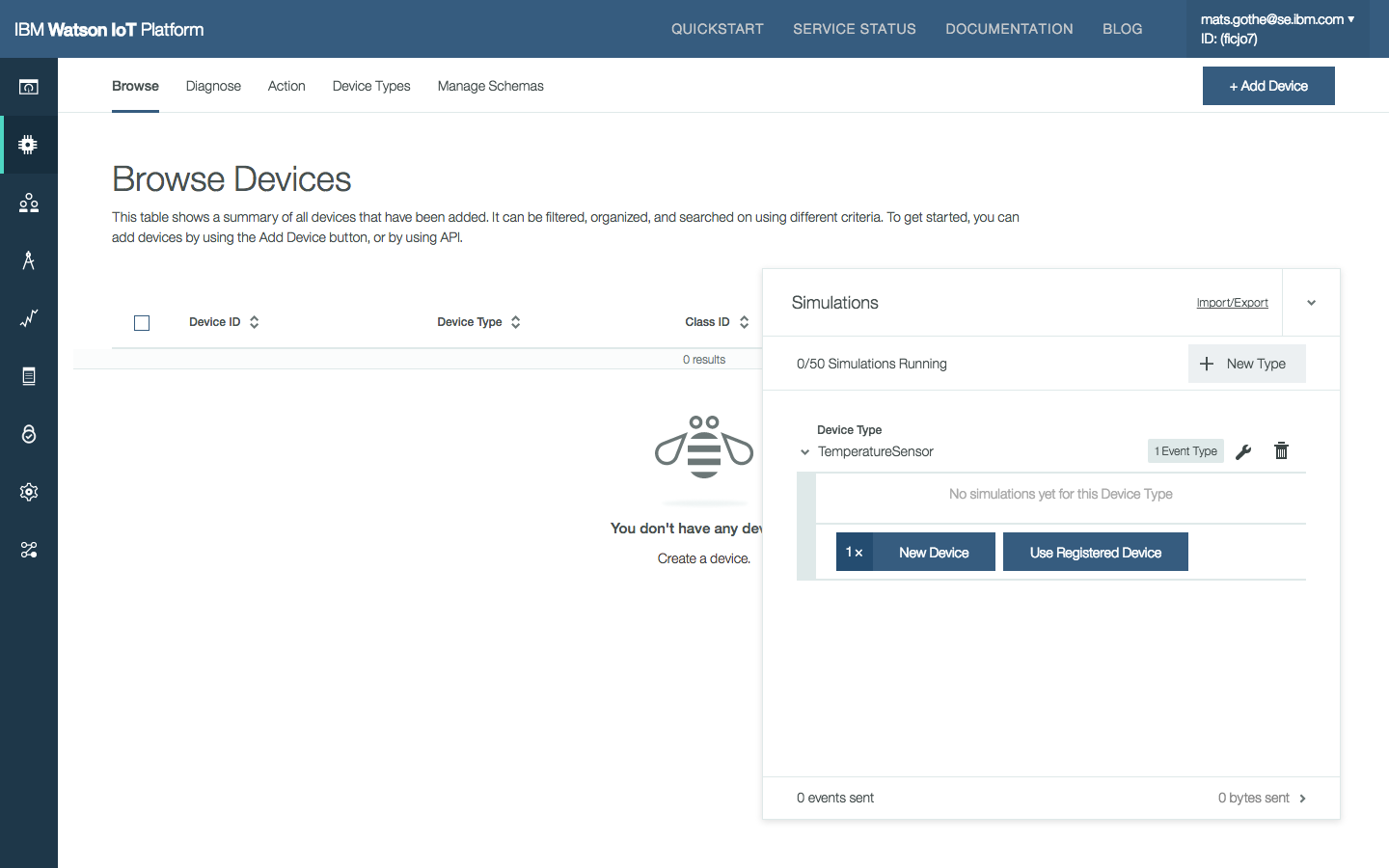
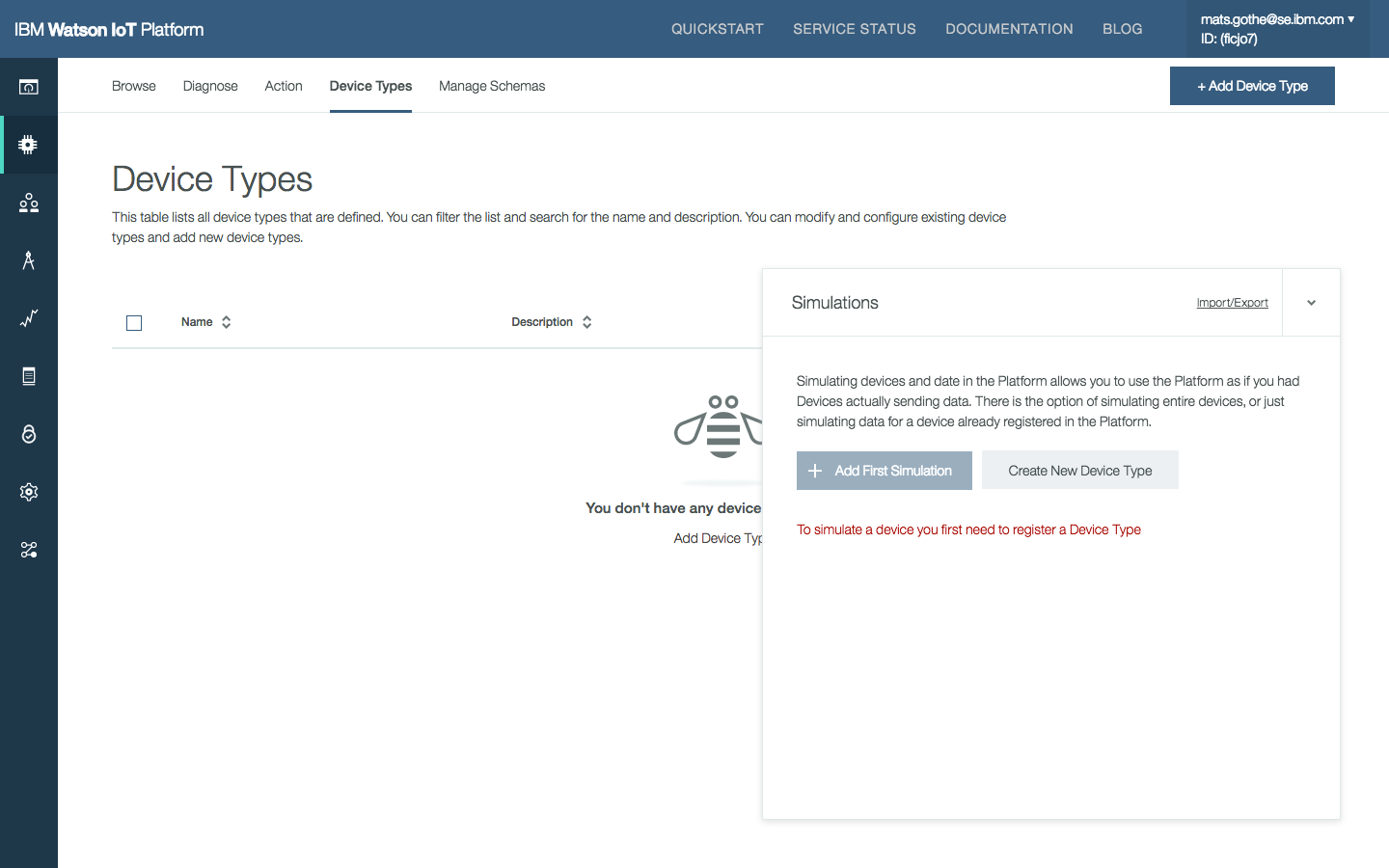
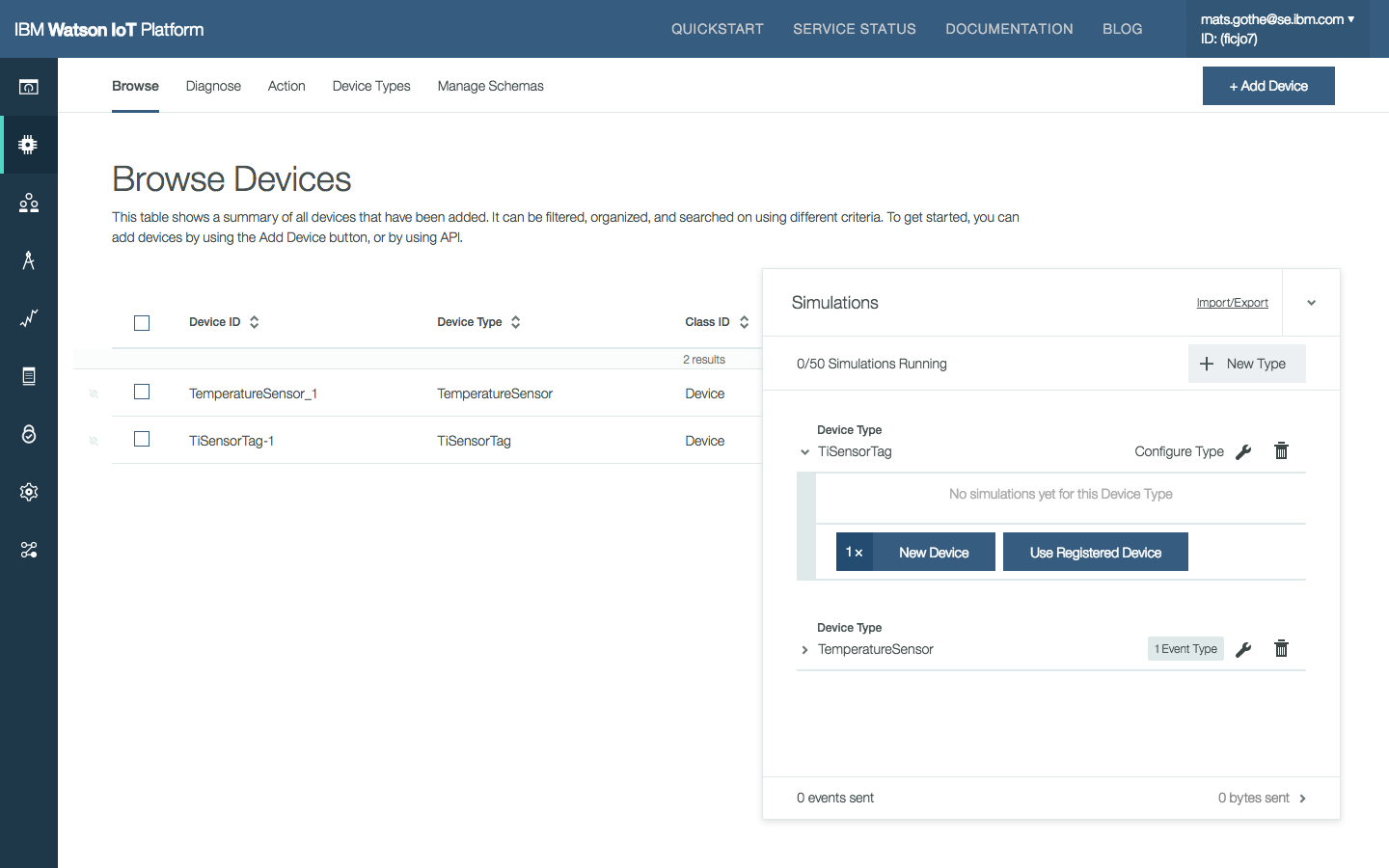
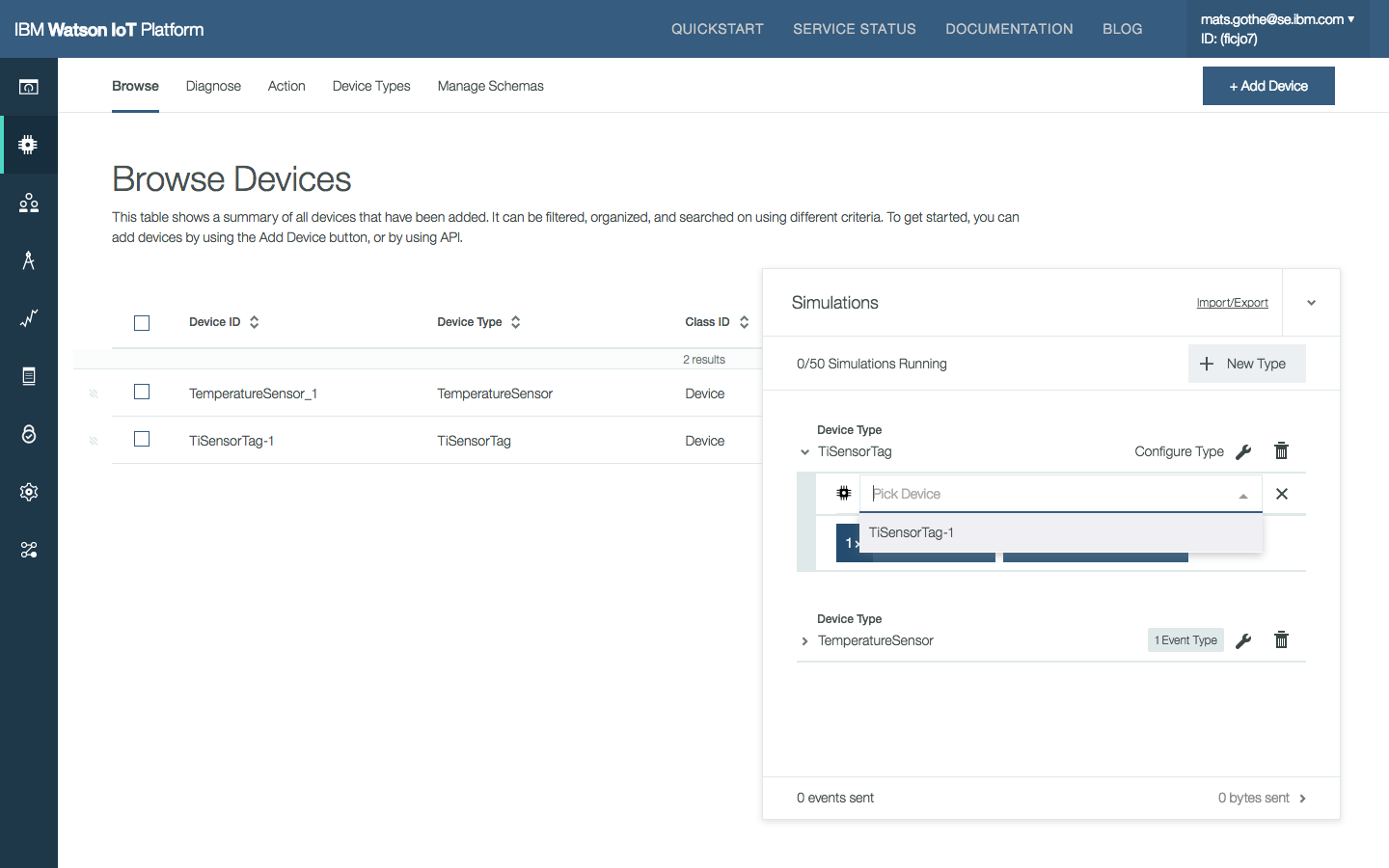
The main simulator page for devices of a selected type. On this page, users can add new simulated devices, or select an existing registered device to be simulated. Users can also turn on/off the simulation.
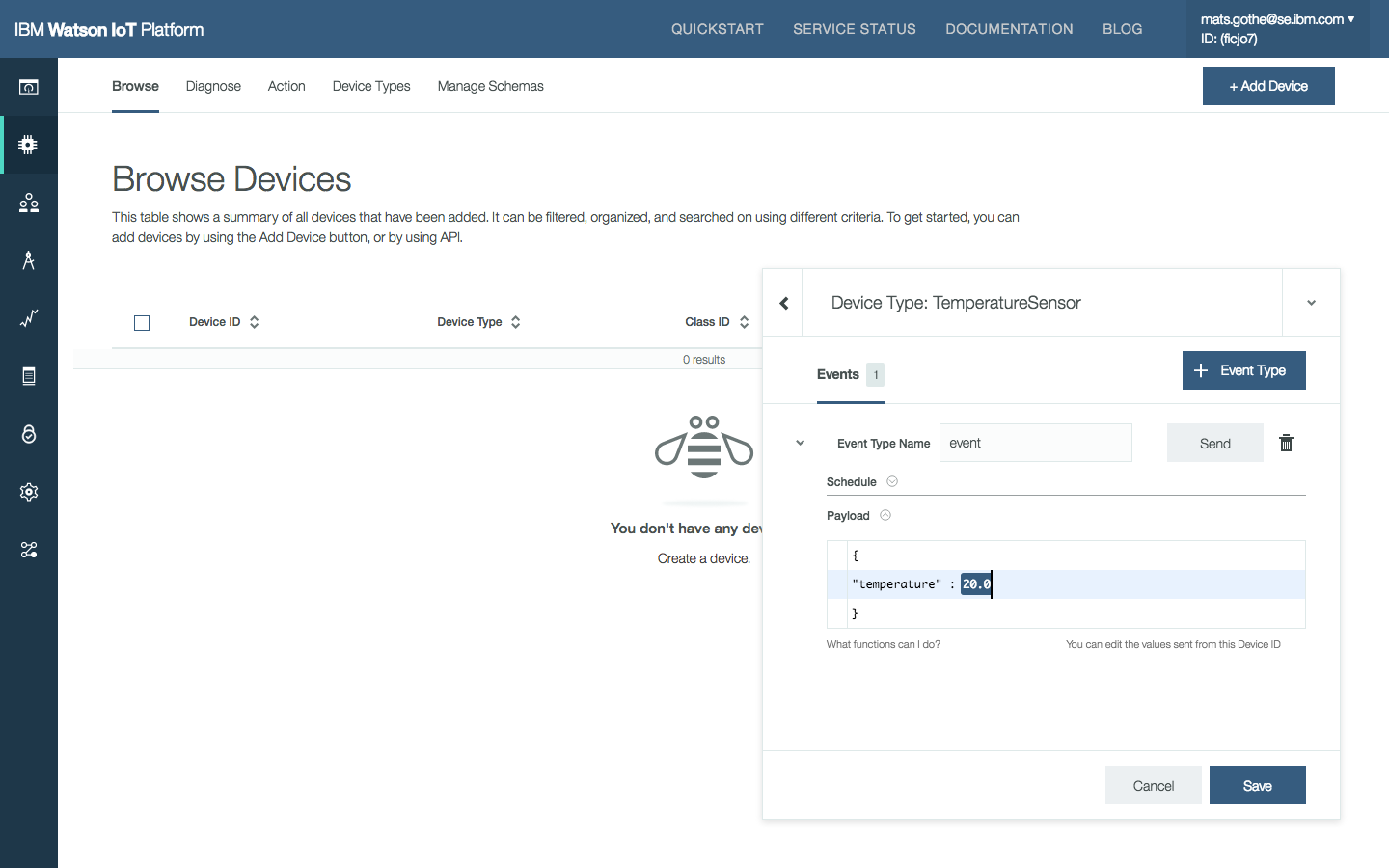
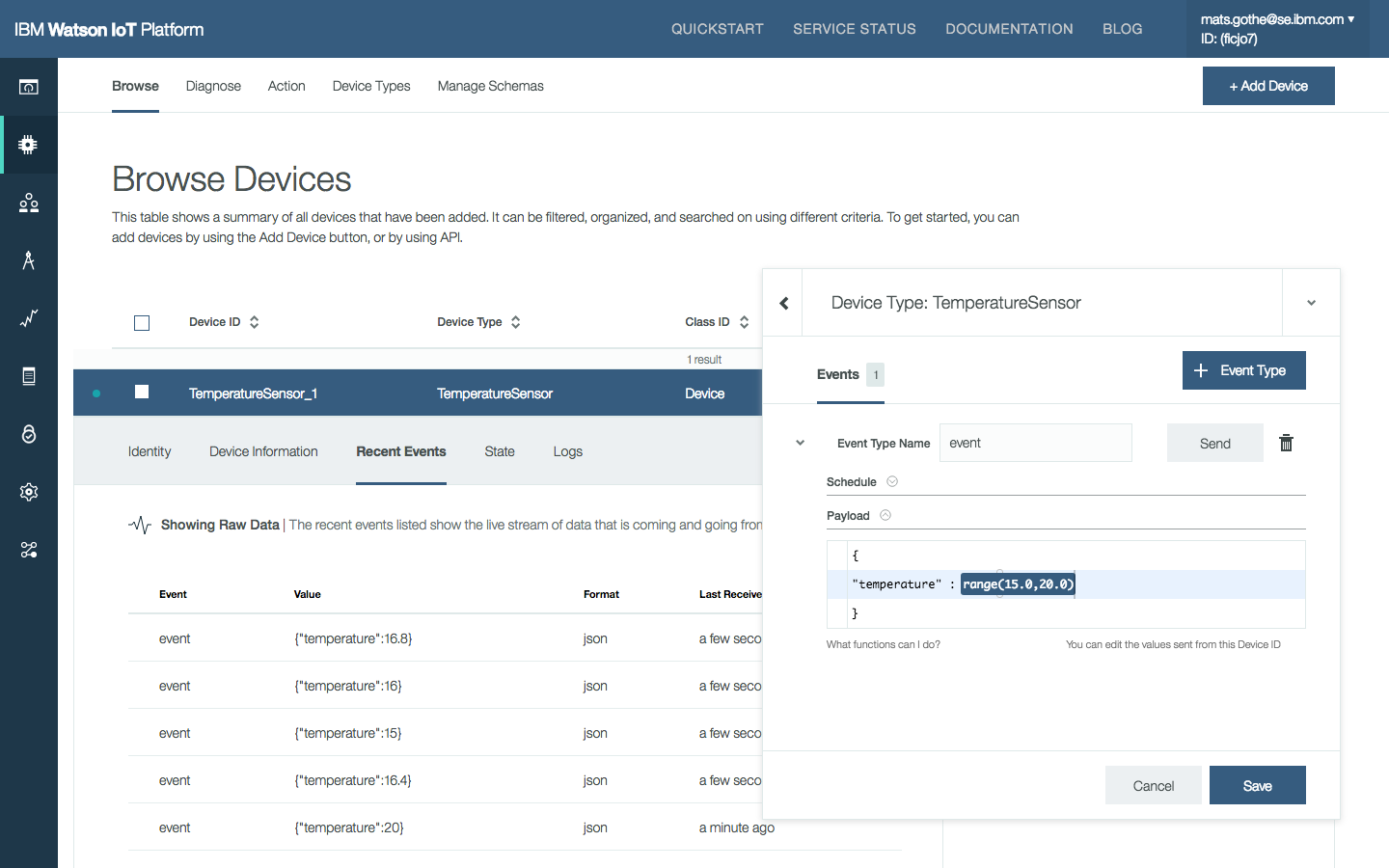
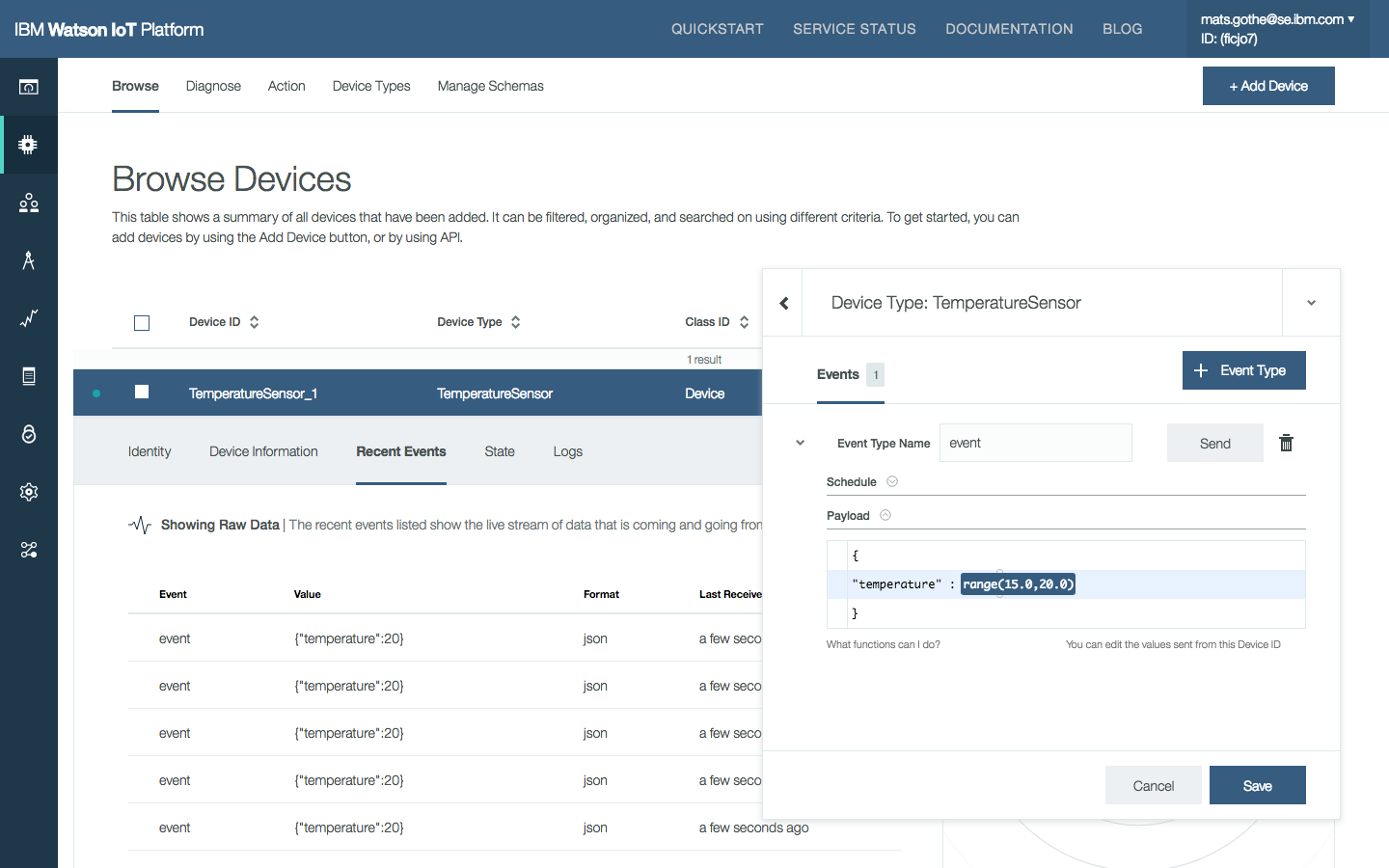
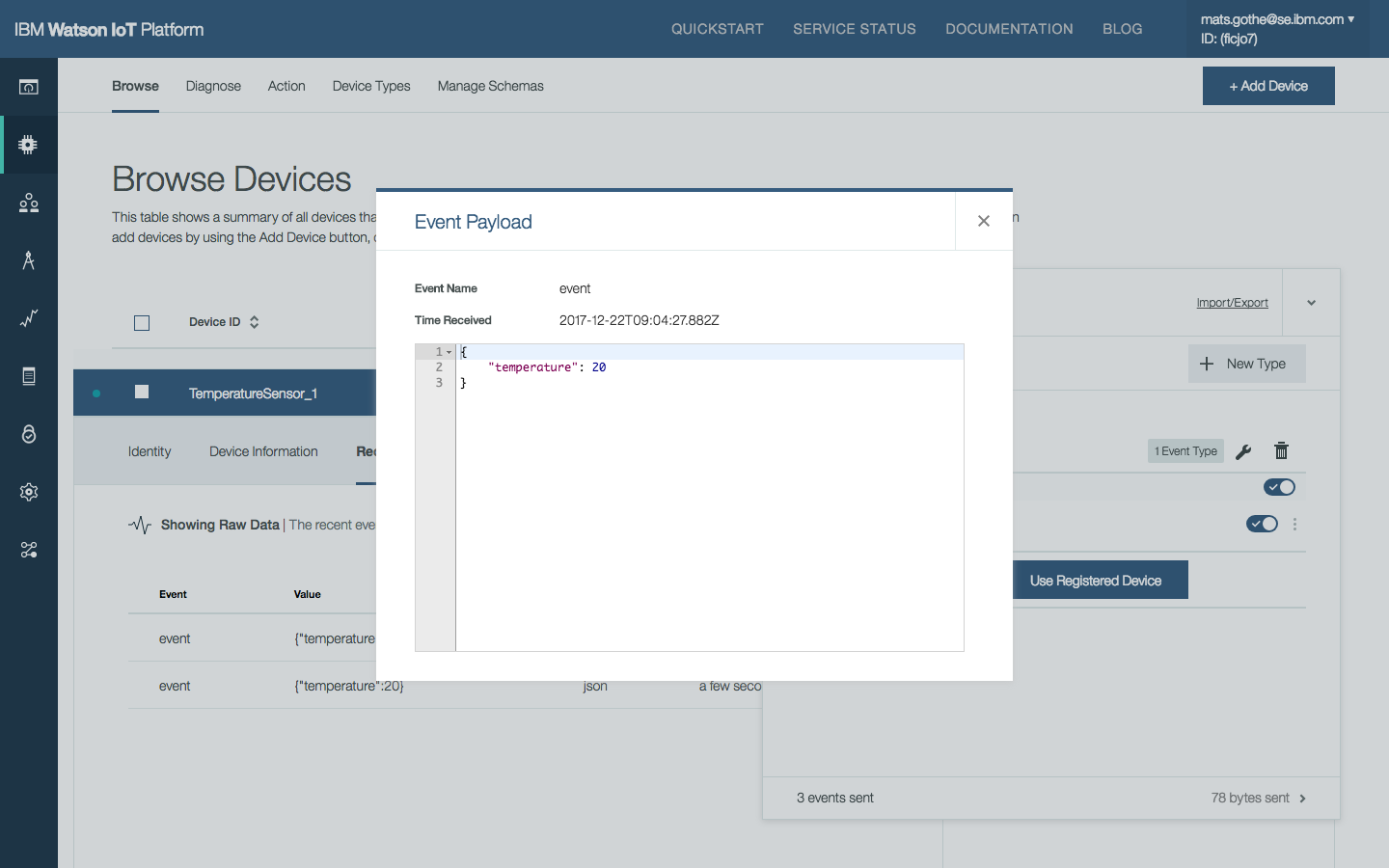
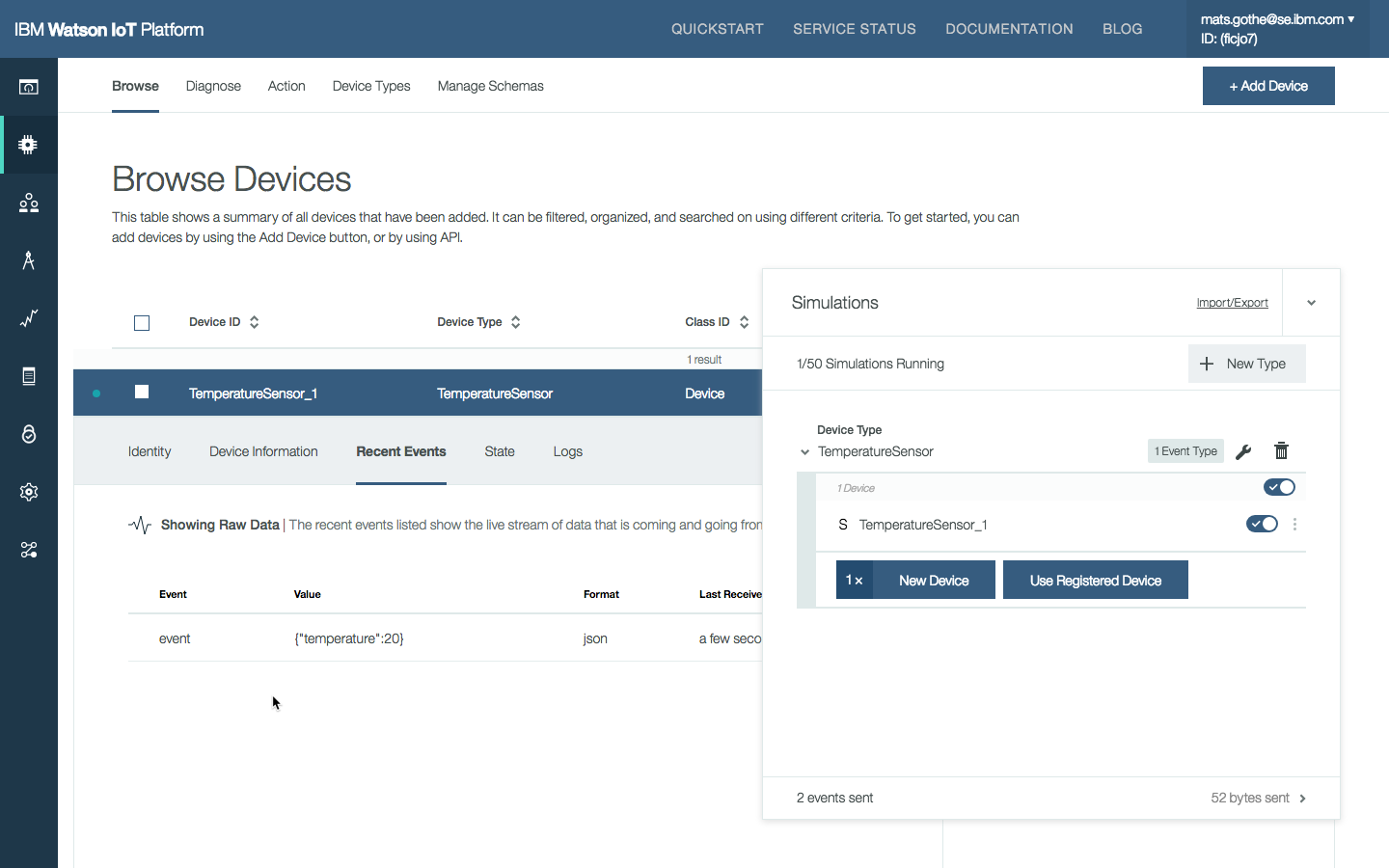
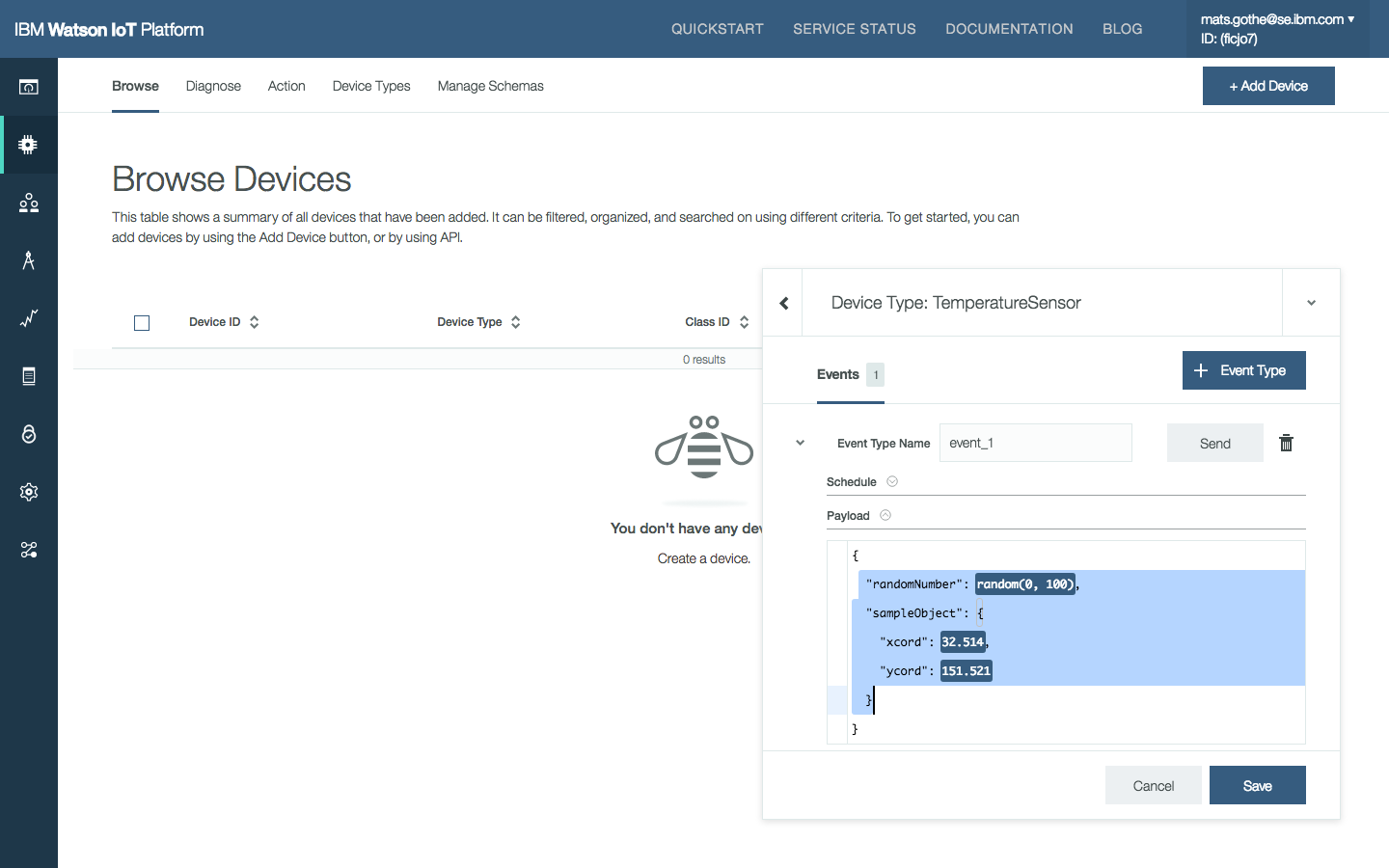
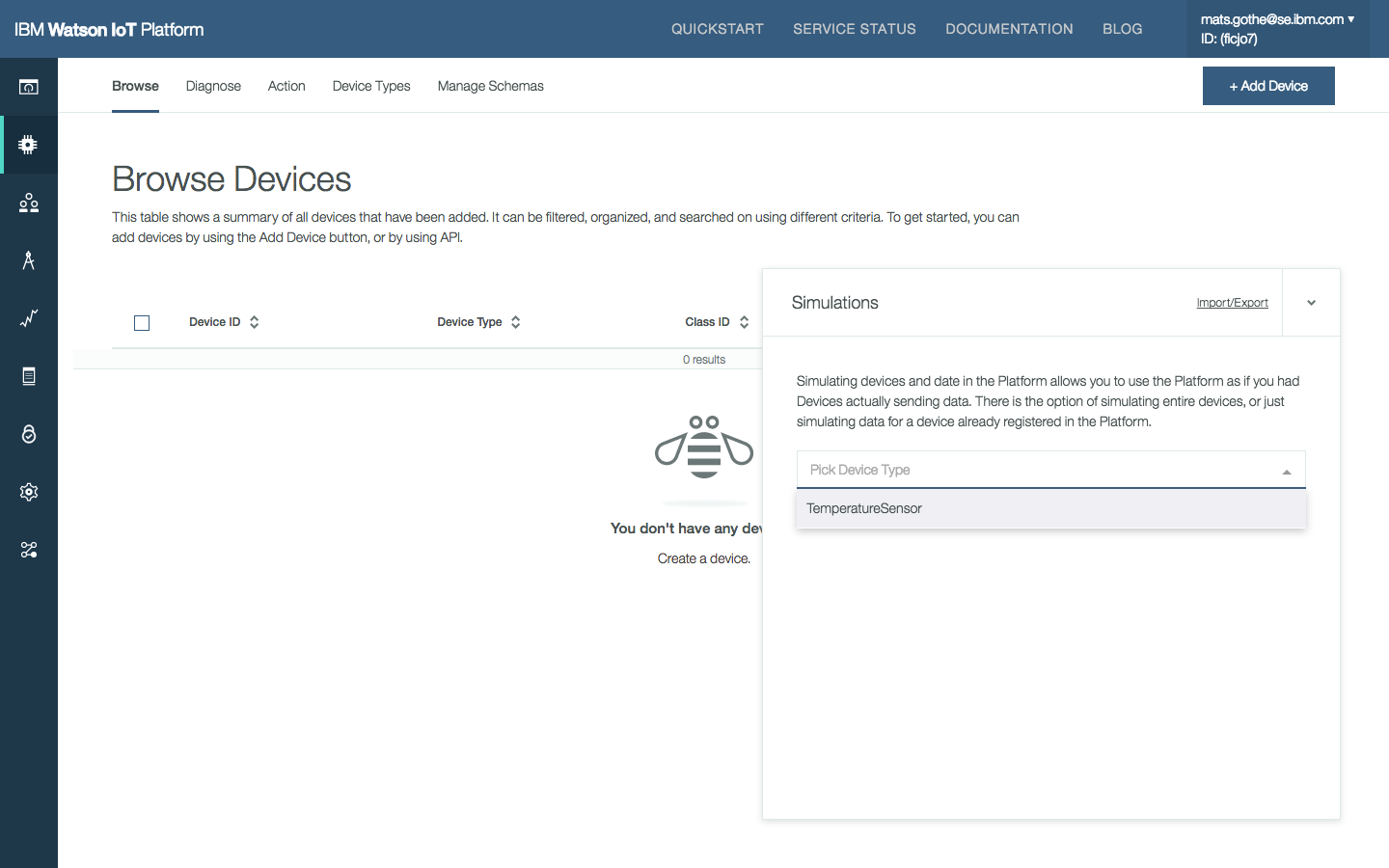
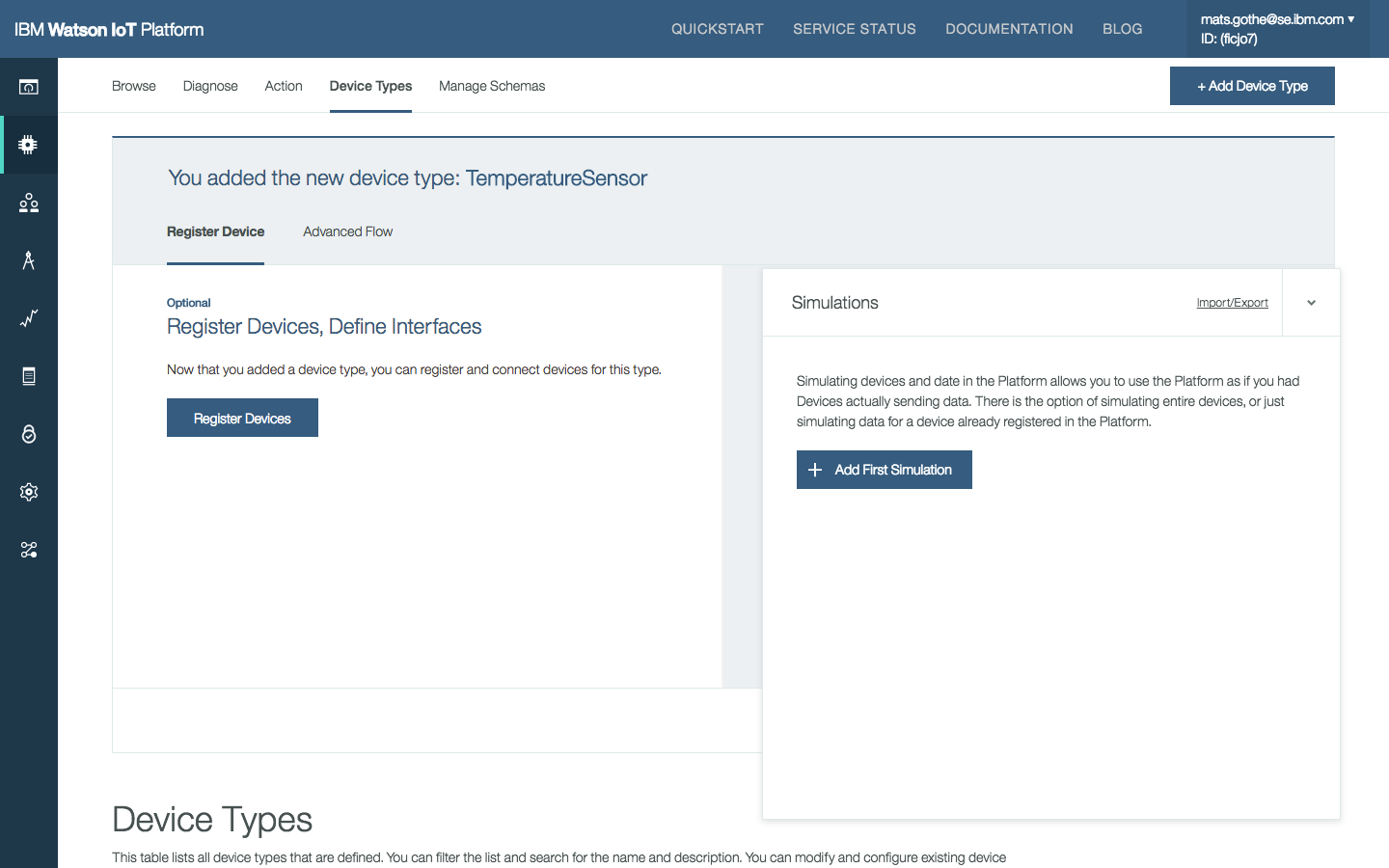
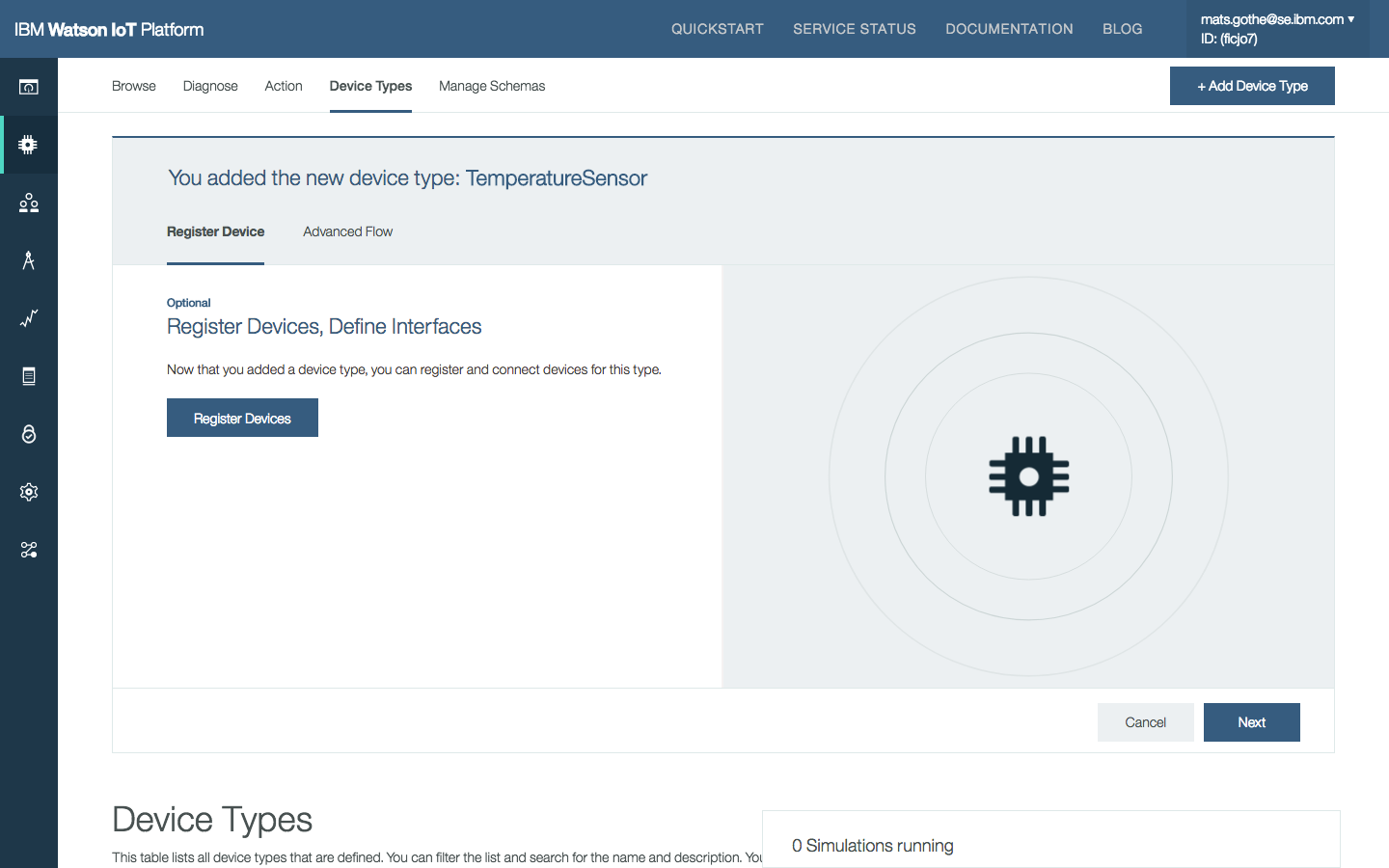
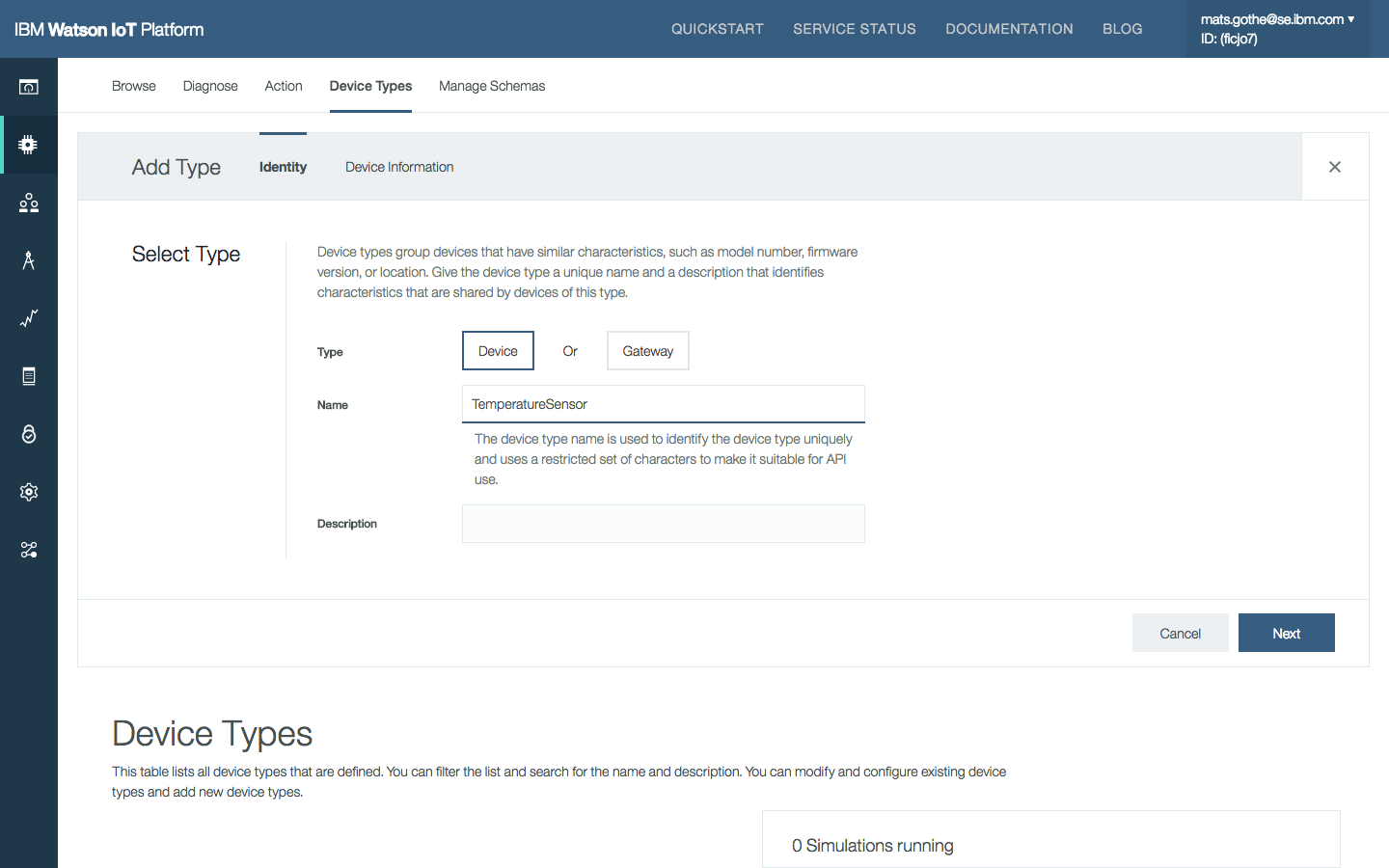
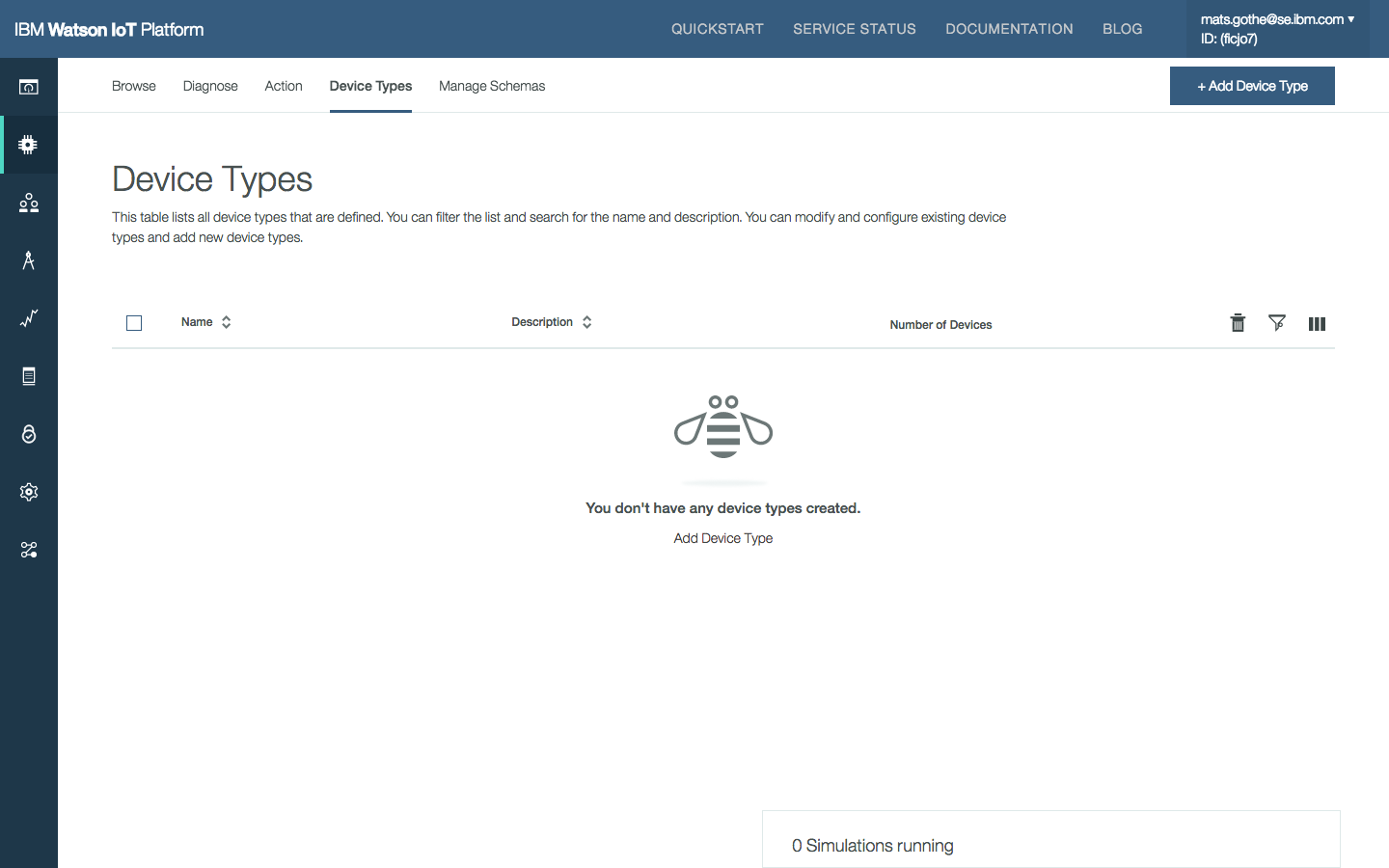
In the first user journey below, Chris is entering the IoT platform. He enables Simulated devices on the settings page. When opening the simulator he is informed that he needs to create a device type. He switches to the Device Type section and creates a new temperatureSensor type. He then returns to the simulator, modifies the default message to send a temperature value. He creates a device that is given the default name TemperatureSensor-1. The simulator starts to send 20.0 C values. Chris modifies the message schema to send temperature values in a range between 15.0 and 20.0 C.
Configure a new simulated device.
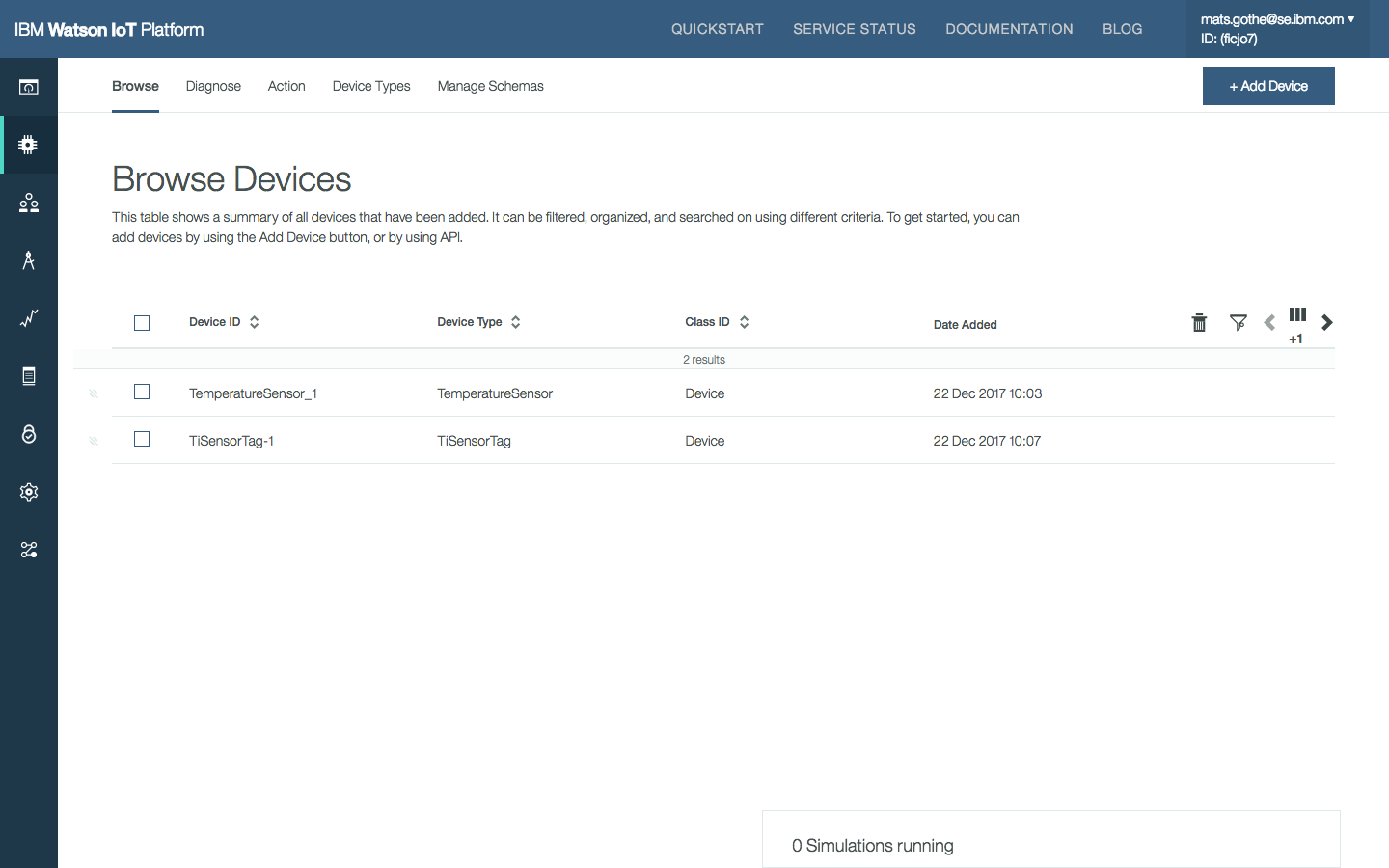
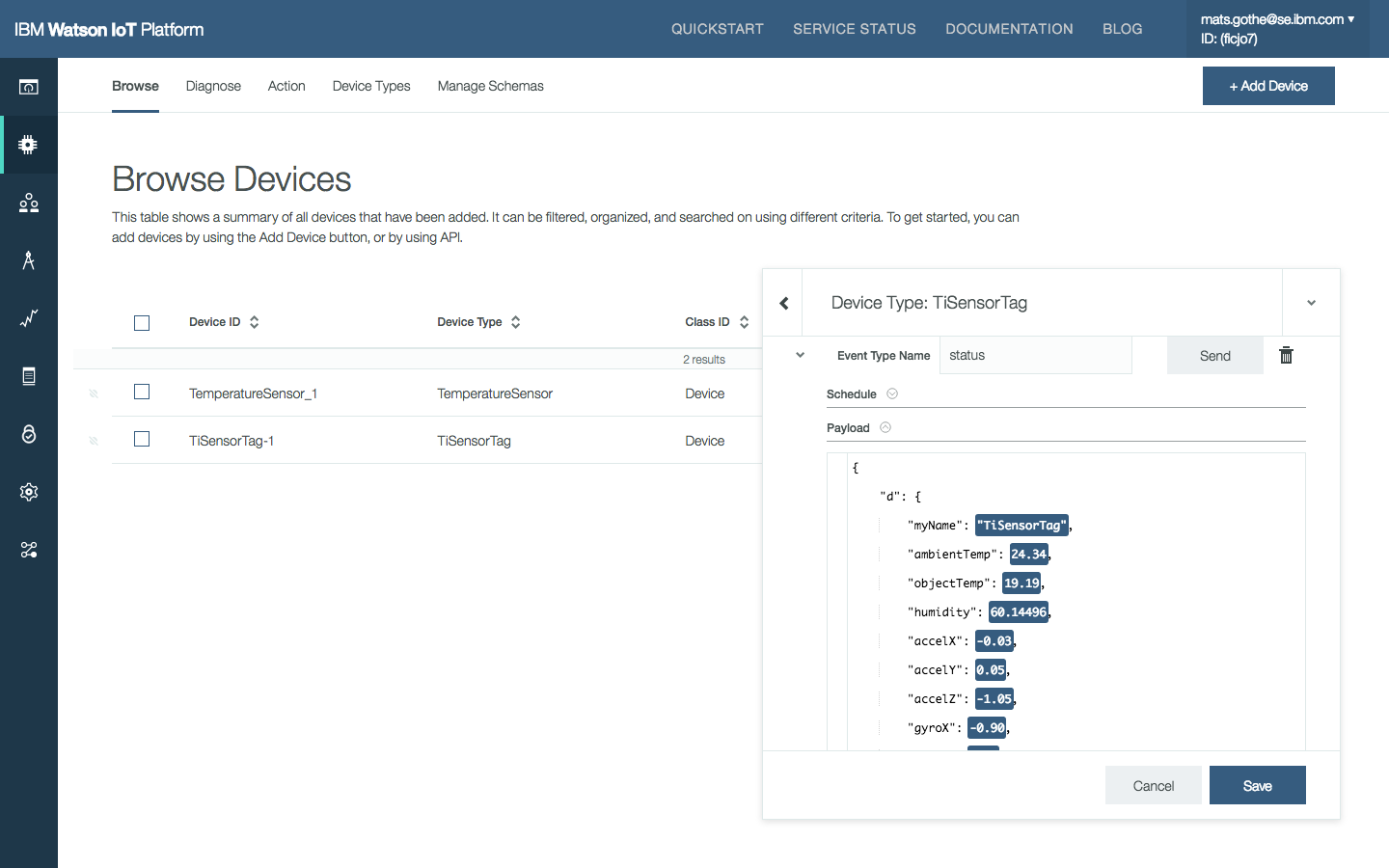
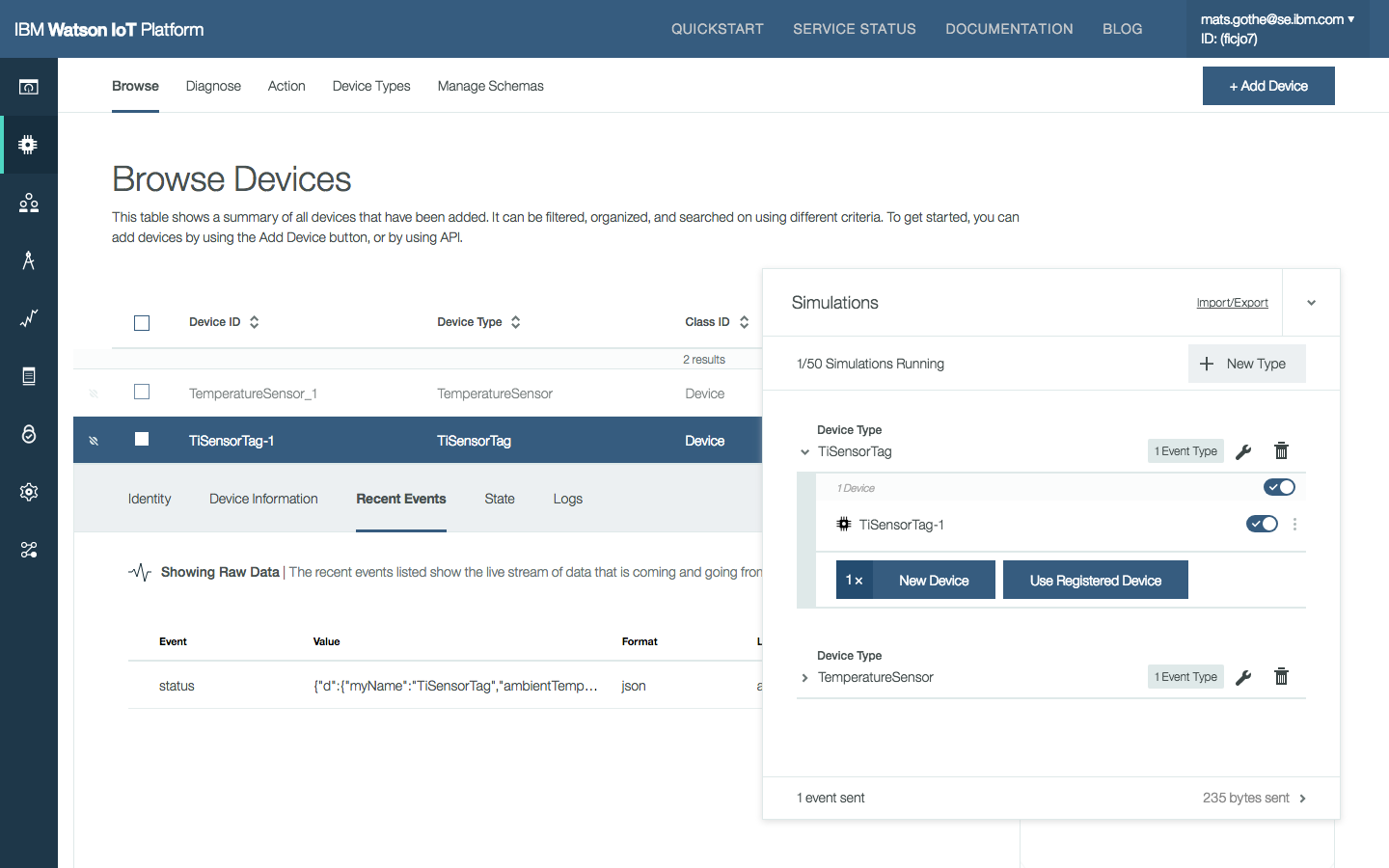
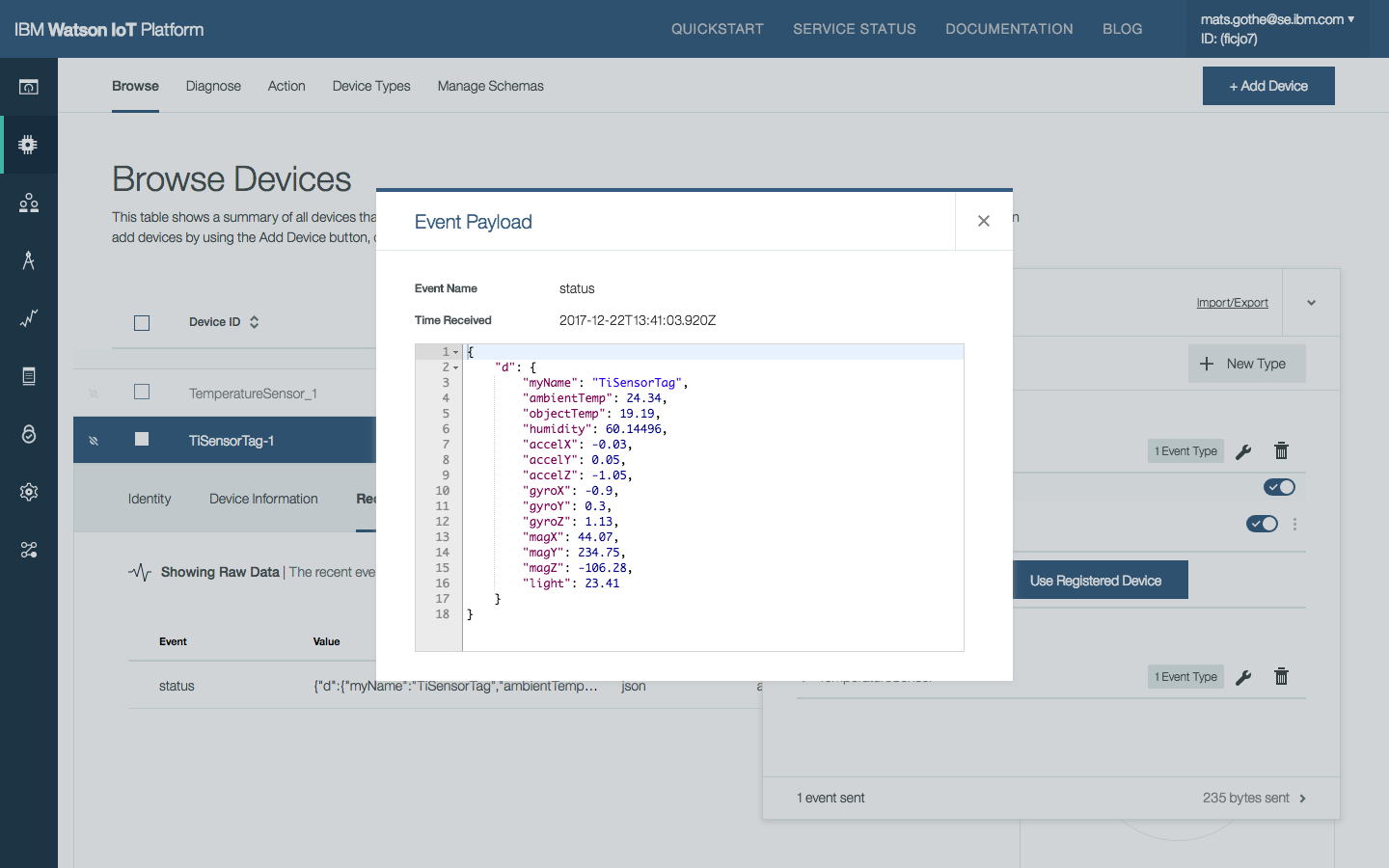
In the second user journey below, Chris is using an existing device type TiSensorTag and an already registered device TiSensorTag-1. The device has previously been connected to the IoT Platform and an event exists in the last event cache. Chris configures the message to match the registered device.
Simulate a registered device.
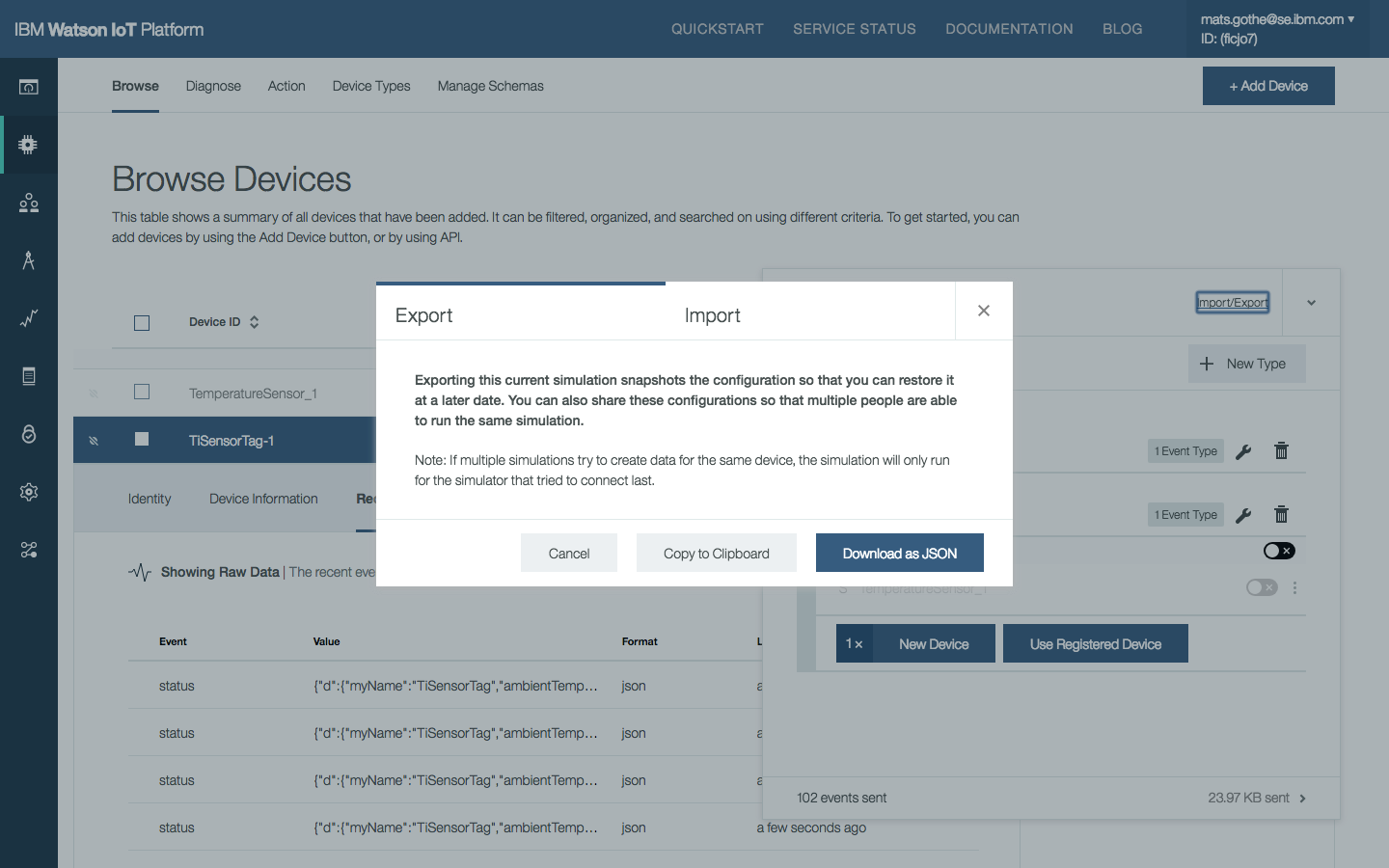
The configuration of types, events, and devices in IoT Platform Device Simulator simulator can be Exported and Imported across sessions, users, and test cases.
Use the Import/Export tab to manage simulations using a JSON definition of the simulator configuration.
IoT Platform Developer Experience Design research on the developer experience in the Watson IoT Platform.
Getting Started with Simulated Devices DevZone Quick Lab at Think 2018 on Simulated Devices.
“All IoT Platform Design Partners strongly agree with the importance of simulated devices to their organisations and that the design meets their needs.”
Meet Chris is the Application Developer and Devon is the Edge Device Developer.
Chris and Devon are the most frequently used personas in the developer experience design across the platform capabilities.
IoT Platform Developer Experience Design research on the developer experience in the Watson IoT Platform.
Getting Started with Simulated Devices DevZone Quick Lab at Think 2018 on Simulated Devices.
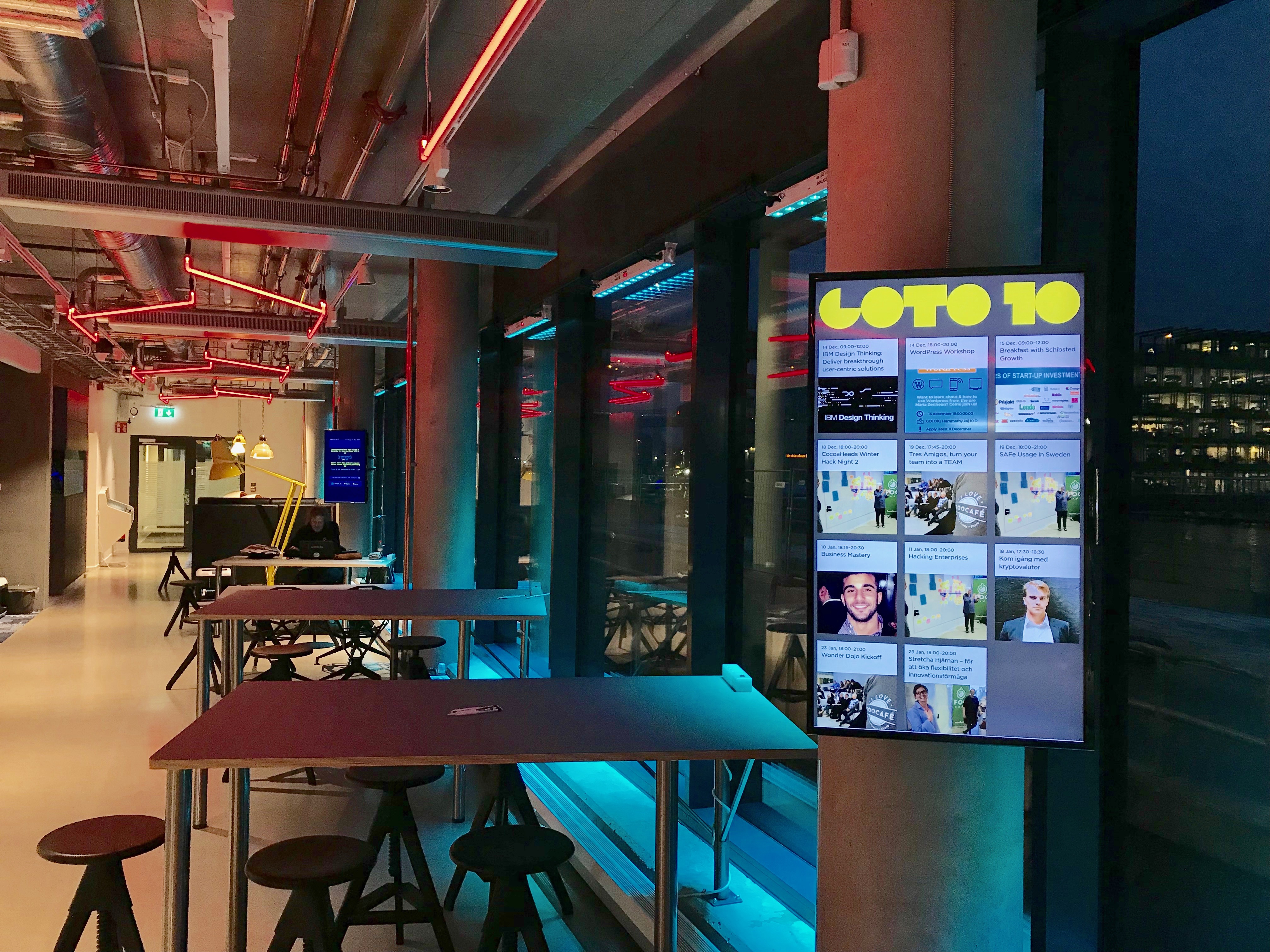
Are you building a business with user-centric solutions? How well do you know your users today? Are you really solving your users’ actual problems and creating the best possible value for them? With IBM Design Thinking you will view a business idea and solution from the users’ perspective. Only then can one ensure that the actual user pain points are targeted.
This practical workshop invites you who want to learn a powerful methodology that can be used to develop your business idea into a user-centric one.
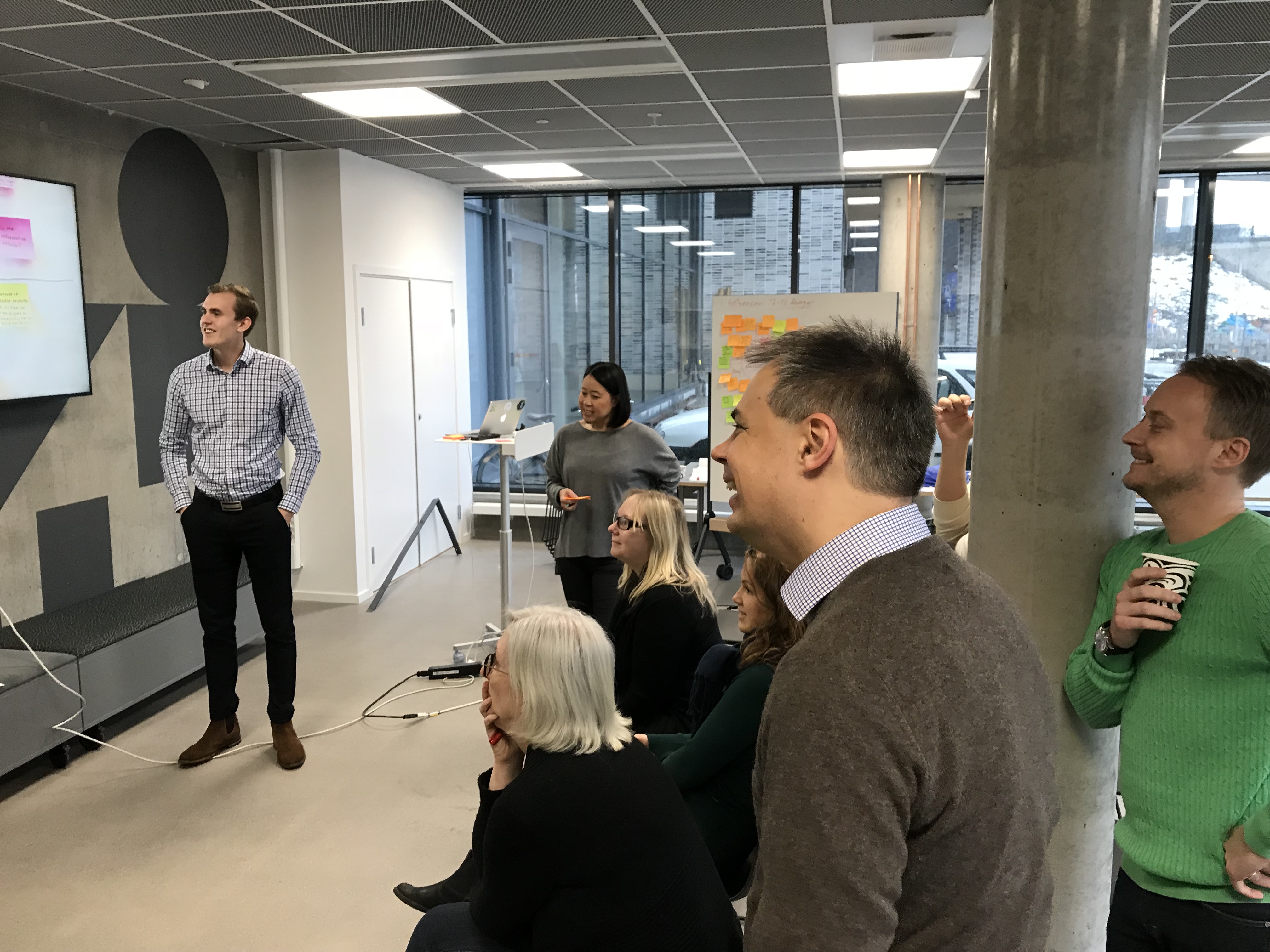
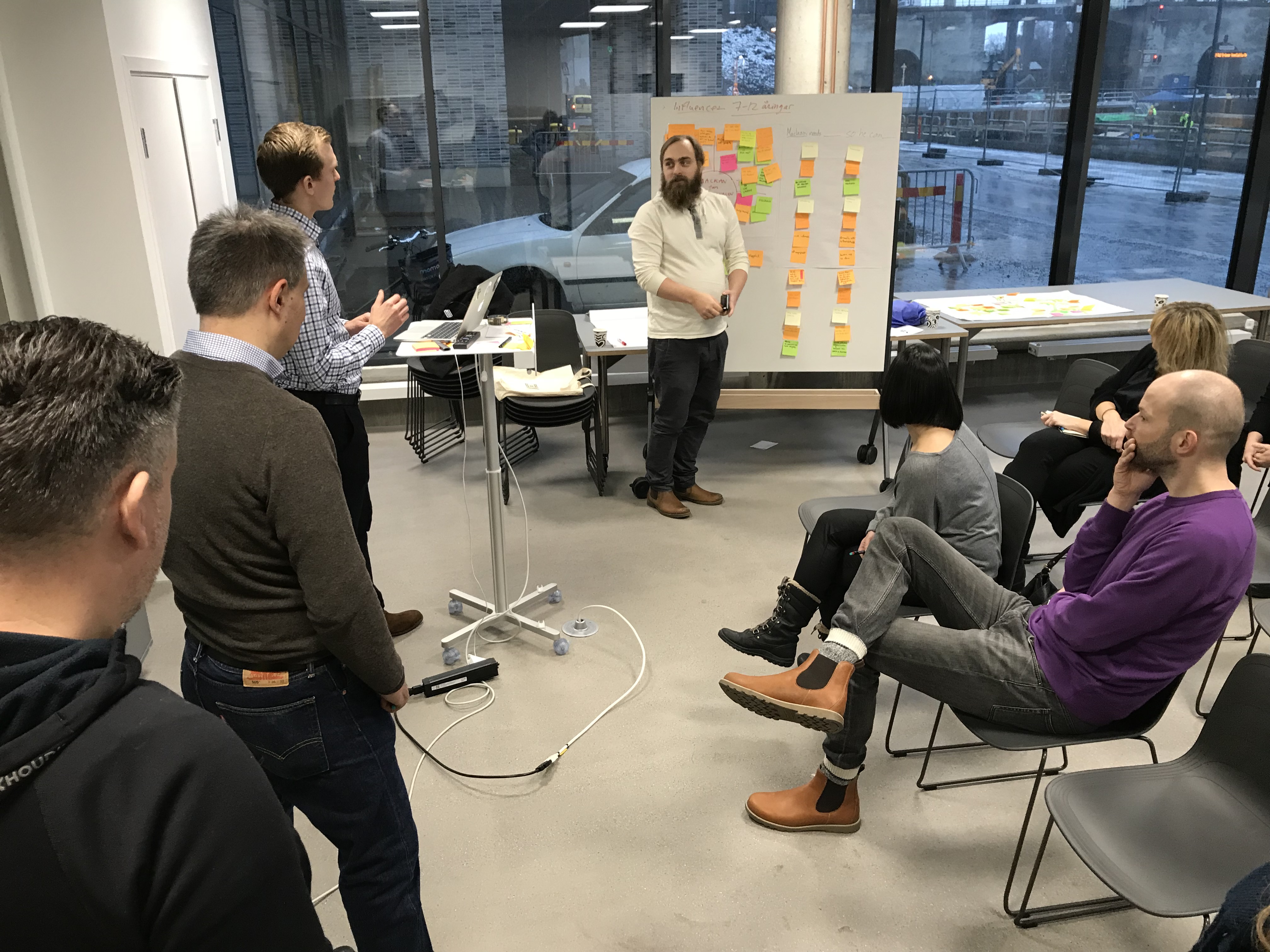
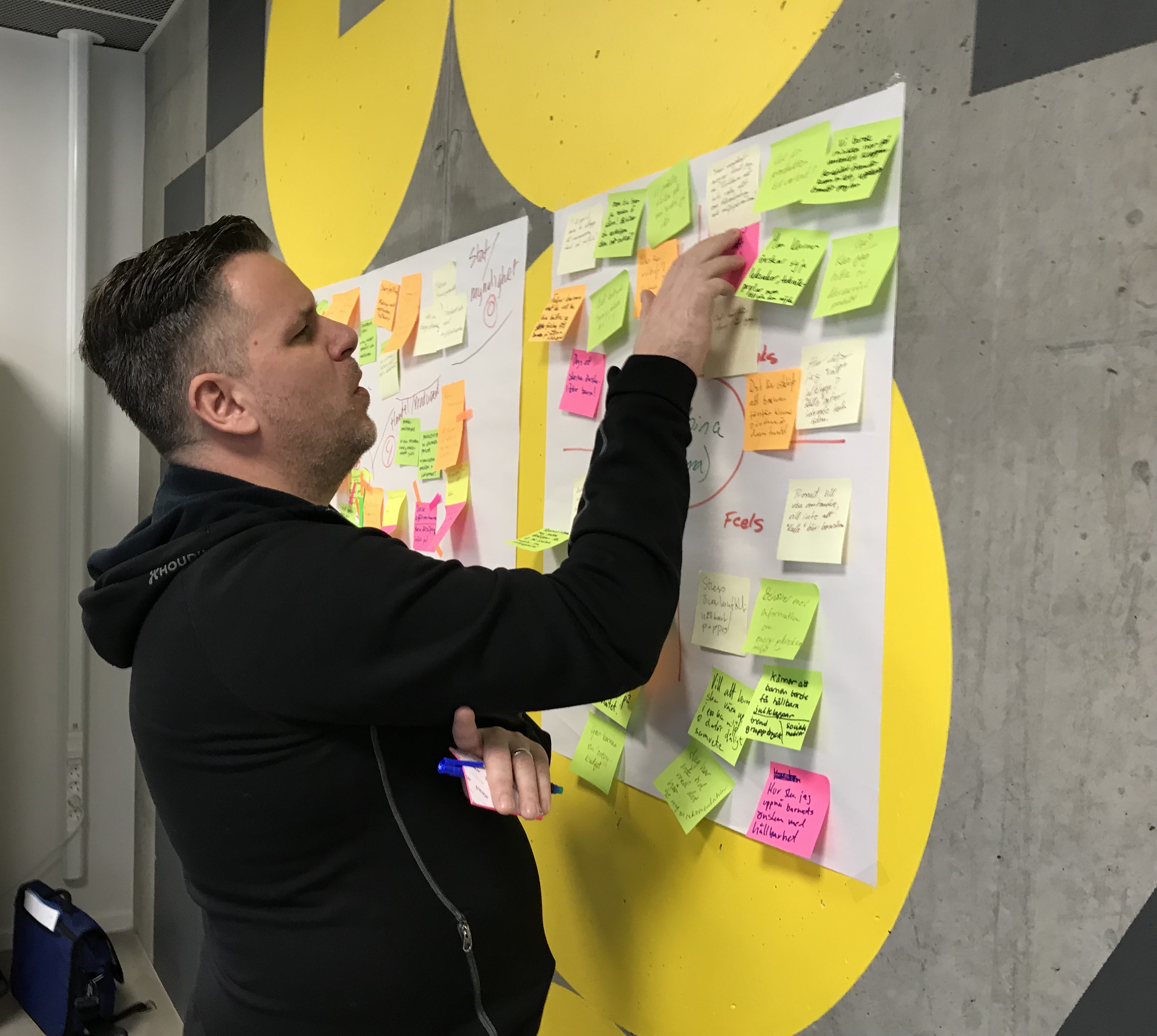
During this three-hour workshop, you will learn about the IBM Design Thinking framework and get practical experience on how to use it. IBM Design Thinking includes a number of tools and practices that help companies deliver breakthrough solutions that fulfill their users’ actual needs. It is a human-centric methodology that focuses on creating innovative solutions with high user experiences.
Design in the intent behind an outcome
Before we begin, let’s make sure everyone understands what we mean when we say “design”. Design is the purpose, planning, and intent behind an action, fact, or material object. In other words: Design is the intent behind an outcome. Nothing more, nothing less.
The focus on a desirable outcome is not in conflict with agile practices. Agile practices sets focus on achieving a predictable and repeatable heartbeat of delivering the solution. The content of each delivery will be scoped to what can be contained with quality in each sprint. Lean takes a focus on optimizing the process to achieve a deliverable, and only required tasks should be included. Both these methods let the mechanisms of delivery take precedence over the content delivered. With design thinking, we complement the agile methods with the focus on the desirable outcome. Design Thinking hence adds the purpose and intent and ensures that the user is at the center of the outcome.
Good design is good business
Good design is good business. This statement by Thomas Watson is well known and often quoted. It captures the importance and uniqueness of design at IBM in the 50s. Today, good design and Design thinking is mainstream. Good design much table stake and mainstream. Design thinking is widespread. So, what is different in IBM’s version of Design Thinking?
Mission: Create a sustainable culture of Design at IBM
The IBM Design program started small in 2013 with a mission to hire 100 formally trained designers and kickstart 7 hallmark projects across IBM. Across different BUs, different products, and different project objectives.
We emphasize the parts that drive
differentiated delightful outcomes
business value and leading business strategy
the elements that delivered @scale and speed for distributes and complex teams
Today, we are now 4 years into the program with over 400 projects, 1,000’s of designers, and IBM’ers trained on Design Thinking across Development, Offering Management, Sales, and Services. Design is touching almost every IBMer and every project in the labs and in the field. And it inspires other innovative practices, like the IBM Cloud Garage Method.
IBM Studios
The Design Studios are the centers of the design culture. They are a key enabler for the way of working with multi-discipline teams and reaching out to our global organization. Studios are built out across the IBM labs. Design studios are open and movable. Workspaces change the shape as the purpose over time.
Solving complex problems requires us to work together across differences
The question remains “What is different with IBM Design Thinking”. With the size of 350k employees at IBM, with geographically distributed teams, offering management, design, development, sales, and services across the globe we need a design model that scales. Four key aspects of IBM Design Thinking enable that scaling.
Users
Hills
Playbacks
Multi-disciplined teams
Users
The users are our clients. Their success is our success. They are the judge of the value we bring. And it’s their experience we have is given the privilege to host. Our designs must be based on their needs or pain points. Our design must be driven from an empty with the users. They must be our North Star.
We ensure that we put users first by recruiting Sponsor Users of the design. We ground the intent to their needs.
Hills
Hills gets us aligned. Hills are captured by a WHO, a WHAT, and a WOW. A hill is a clear statement of the intended user, the WHO. It is a clear statement of intent on the outcome, the WHAT. And, it is a clear statement of the differentiator compared to competitors, the WOW.
The hill provides clarity and frames the problem – in simple words; aligns the understanding across team members. And reaches out and aligns stakeholders (executives, marketing, sales), clients, and ecosystems. But it does not prescribe an implementation.
Playbacks
Playbacks help us stay aligned. Playback is a safe environment to share work. They ensure the progression of the delivery to a successful outcome.
Playbacks can be run anytime and may take different shapes and purposes. For example,
Hills playback – Confirm that stakeholders agree with the outcome
Playback Zero – Align teams on Concepts, UX, and plan.
Delivery playback – On milestones
User / Client – Playbacks for stakeholders
The workshops include practical sessions where we explore stakeholder maps, empathy maps, and needs statements. We also practice on playbacks.
Multi-Disciplinary Teams
IBM Design is not an agency – taking and delivering an awesome design. And we are not alone in solving a problem. In a multi-disciplined team, design work shoulder-to-shoulder with offering management and development, throughout sprints, milestones, and releases. Empowered teams can rapidly, generate ideas, reject or commit to them, and collaborate.
“Today I had a very amazing opportunity to be a part of a workshop called “IBM Design Thinking: Deliver Breakthrough User-centric Solutions”: I learned so much in such a short time and met a lot of amazing people. But before that, I was hesitating to go because I didn’t know anyone there and the thought of being embarrassed cared me. If I had let my fears decide for me then I wouldn’t have had one of the best experiences in my UX career.”
“Well thought out and structured presentation and Workshop”
“Thank to all of you from IBM for a great workshop”
“Workshop experience and following discussion were very interesting. A lot of inspiration, thanks to the organizers”
In 2017 I delivered design research for an improved developer experience in the Watson IoT Platform.
User Research – IoT Developers
In our developer experience research, we gained insights from multiple sources
Roles – Device and Application Developers, Architects, Product Leads, and Operators
Organizations – IBM IoT developer teams, Individual developers, Startups, System integrators, Global enterprises
We found that a majority is developing or researching IoT products and solutions for their companies. We also found that a majority of the companies are developing IoT products and solutions today.
In our research we focused on two developer roles; the IoT Device Developer and the IoT Application Developers. Both depend on the Watson IoT Platform as a service for connecting their devices or integrating with their applications.
We found that developers use the following tools and technologies
HTTP and MQTT (>50%)
Eclipse or Device manufacturer IDEs (>50%)
Device development: C / C++ (>50%)
Gateway development: Java (40%), C / C++ / Python (30%)
Cloud development: Java (50%) but also Javascript, Node.js, Python (25%), and NodeRed
Devices integrate sensors (>85%) or actuators (>50%)
Devices act as network gateways (>50%)
Applications perform analytics (>50%) and are mobile (50%)
Devon the IoT Device Developer
Devon the device developer, develops and tests code for a device that integrates sensors and actuators with the OS and CPU board capabilities. He integrates MQTT and device management protocols on the device. He uses SDKs provided by chip manufacturers and applies security by design principles.
He uses a team development space and connects the device to an IoT Platform to test connections, data transfers, device management, and security use- and test-cases.
Role
Develops code for devices and gateways
Downloads his code to a testbed with devices that connect to an IoT Platform
Makes sure that the device passes tests on connection, data transfer, device management, and security use/test-cases
Goals
Connect devices to the cloud to transmit data and perform tests
Code, test, debug and maintain firmware for devices and gateways
Optimize device performance by edge capabilities
Monitor and report on the performance and health of devices
Simulate and analyze device data to verify features
Chris the IoT Application Developer
Chris the application developer, is developing applications and services in a connected product IoT solution based on a cloud service architecture in IBM Cloud that integrates with the IoT Platform.
He develops and tests his components locally and deploys to a team development space in the cloud configured with an IoT Platform using live or simulated device data.
Role
Develops cloud applications and services that depend on data and events from the Watson IoT platform
Uses IoT platform and database APIs to access device data
Delivers new code and fixes in his IBM Cloud space that is staged into production
Goals
Minimum set up for the new environment
Implement data models
Connect simulated devices and play with the data
Create and test applications, microservices and expose APIs
Use client libraries to code productively
Developer Experience Scenarios
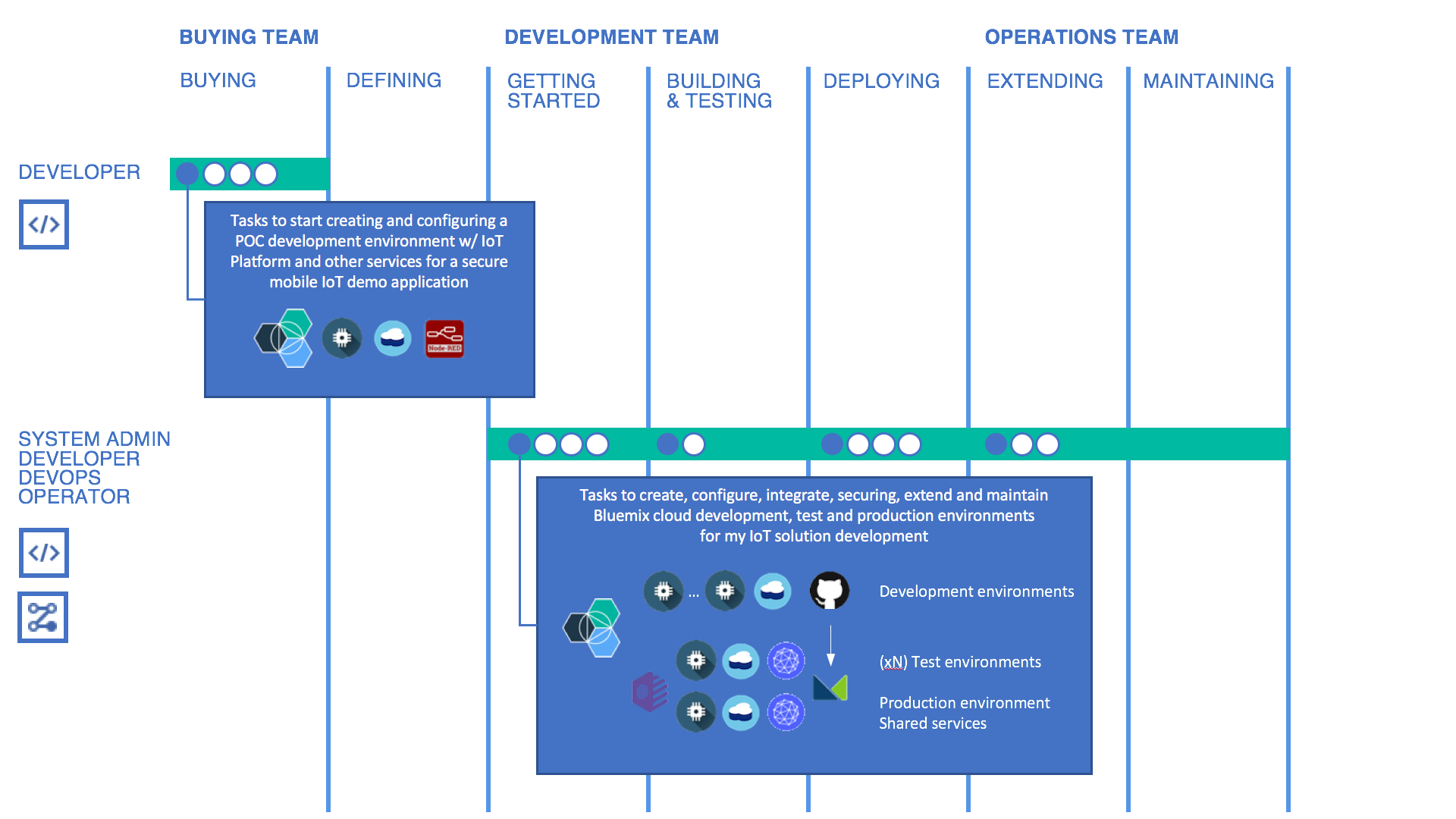
The introduction of an IoT development environment involves multiple stages, teams, and team roles.
The buying LOB organization forms a POC team
The LOB and IT teams then harden the development environment and start developing, testing, deploying, and maintaining the IoT solutions.
My Personal IoT Developer Experience – Delivering an IoT POC
For Devon and Chris, teaming up to deliver an IoT POC, the developer experience can be described as:
“We are a small group of device and application developers, with various skills on Bluemix, Cloud development and IoT, delivering a connected product POC”
“We need self-served material that gets us started with an IoT development environment to build our skills on IoT devices, IoT applications and an IoT solution that shapes a successful POC outcome in a week”
My IoT Solution Developer Experience – Hardening the IoT Development Environment
For the LOB development team, the developer experience can be described as:
“We are a product team transitioning from a POC into a hardened IoT solution cloud development environment, delivering at speed and scale.”
“We need to grow and mature by applying production scale IBM Cloud services and toolchains and leverage our POC IoT starter code and architecture.”
IoT Developer Experience stages for Delivering an IoT POC and Hardening the IoT Development Environment.
Design Vision
Our research guides us on a design vision for a successful developer experience:
Guides and supports the developer throughout their journey
Provides interactive and viable features over comprehensive documentation
Supports mainstream IDE/languages for developers to work in the best-supported manner
Hills
We defined the following hill for the IoT developer:
“As a Developer with no prior IoT platform experience, I can within 15 minutes set up a new IoT platform organization and start developing and testing my IoT devices and applications”
Related Designs
Several designs deliver on these hills
Simulated Devices Design The Device Simulator design in Watson IoT Platform enables developers to build and test the IoT applications without deploying physical devices beforehand. Developers can simulate the existing registered devices or whole new devices. The Device Simulator allows developers to customize the schedules and payloads.
Help Hub Design The Help Hub design provides a simple onboarding experience for new users of the IoT platform. The design creates a seamless learning experience, guiding users and allowing them to form a mental model of the IoT platform and its resources.
Meet Chris is the Application Developer and Devon is the Edge Device Developer.
Chris and Devon are the most frequently used personas in the developer experience design across the platform capabilities.
Simulated Devices Design The Device Simulator design in Watson IoT Platform enables developers to build and test the IoT applications without deploying physical devices beforehand. Developers can simulate the existing registered devices or whole new devices. The Device Simulator allows developers to customize the schedules and payloads.
Help Hub Design The Help Hub design provides a simple on-boarding experience for new users of the IoT platform. The design creates a seamless learning experience, guiding users and allowing them to form a mental model of the IoT platform and its resources.
In 2017 I contributed to the design concepts for Compliance Reporting for Risk and Security Management in the Watson IoT Platform.
What is Risk Management?
Businesses with IoT deployments have the challenge of ensuring that the entire IoT landscape operates within acceptable and expected boundaries. The consequences of IoT devices operating outside of defined criteria, or policies, could have a major impact on the security of the overall IoT deployment, the safe operation of connected devices, and business impact.
What is a Risk and Security Risk Management Policy?
The Watson IoT Platform allows the configuration of specific policies in relation to connection security.
Compliance reporting provides dashboard cards and drill-in reports on the policies configured in a Watson IoT Platform organization.
Personas
Risk and Security Management is primarily targeting two of the IoT personas
Sally is an IoT System Operator. She handles the day to day system operations on the LOB and client IoT organization. She makes sure that new device types and devices are registered, are behaving, and are up to date with recent secure firmware. She defines policies, creates and runs actions on policy alerts that act on misbehaving devices.
Adam is an IoT Security Operator. He ensures security and compliance by specifying policies that detect abnormalities and prevents devices to be compromised. He reports to audits on compliance with regulations and policy coverage on devices.
Hills
“A LOB engineer running a POC can use out-of-the-box simulated device data and in a minute with no other actions required start exploring simulated entities and apply analytics functions to the simulated entity data”
Use-Cases
As a systems operator, I need to:
See the high-level security status of the devices so I can quickly identify potential risks.
Drill down from a general view to more specific reports to identify problems
Drill into the current state and history of devices to analyze root-cause
Download, filter, and sort the report
UX Design
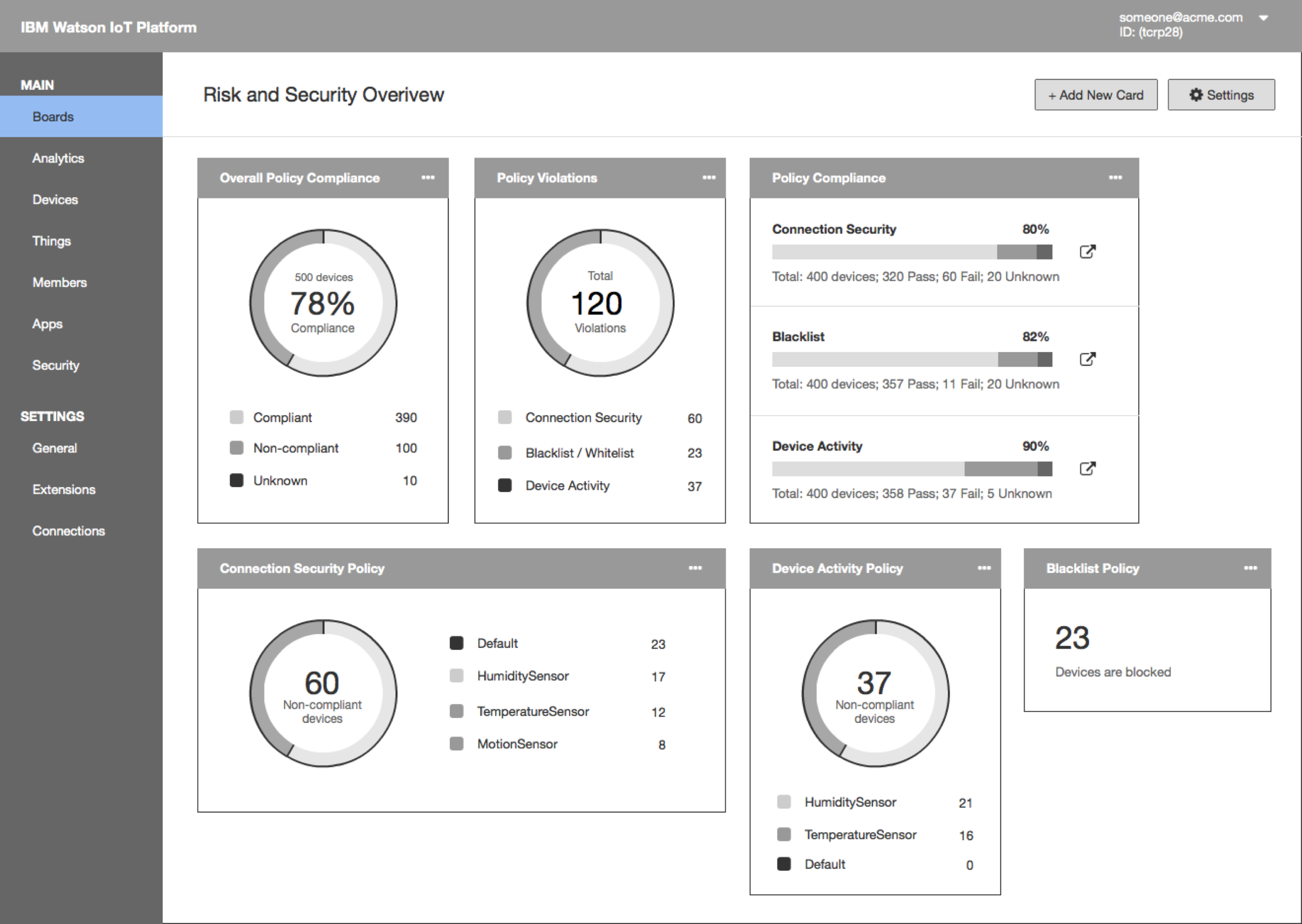
View Policy Compliance from Dashboard
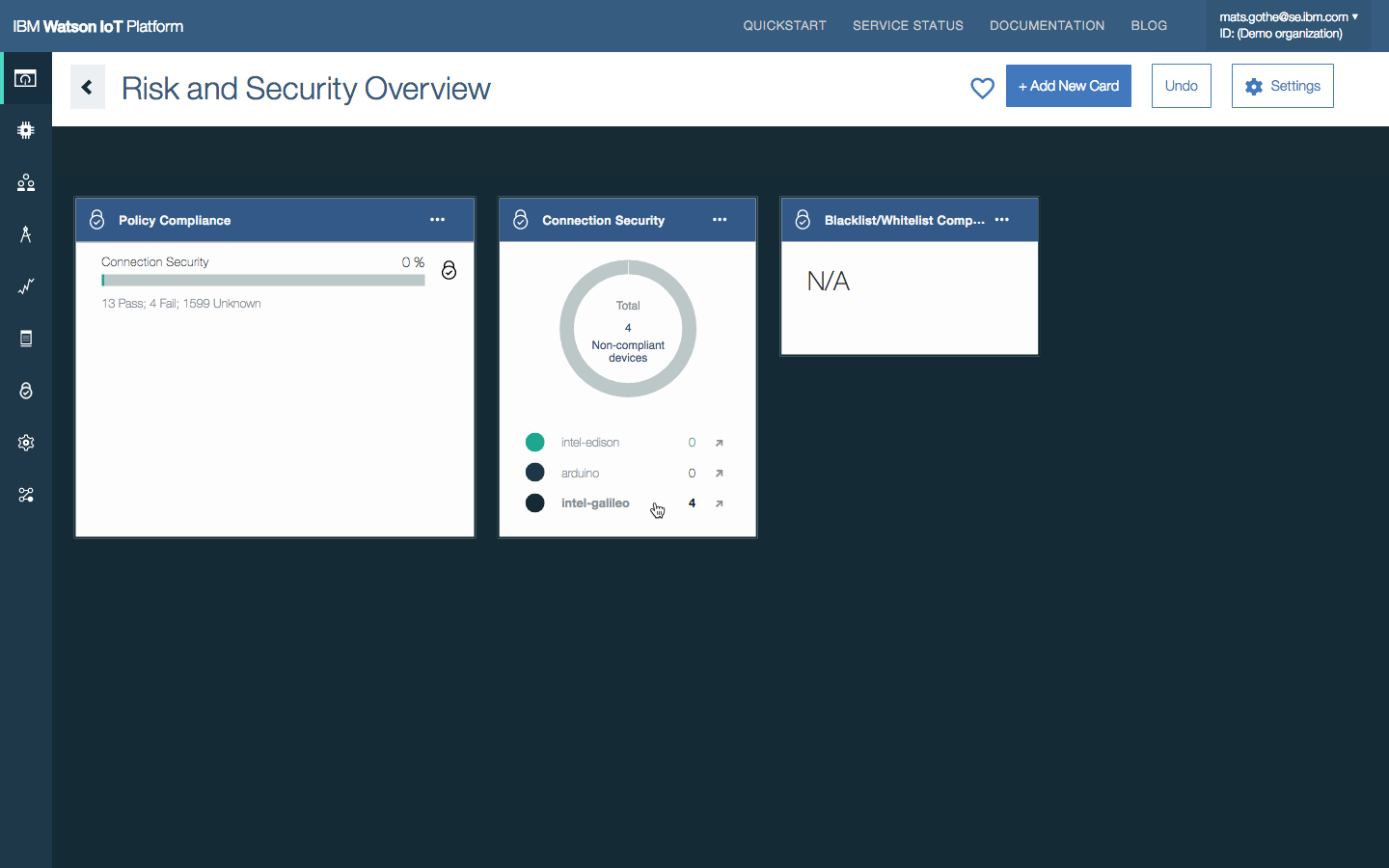
The Watson IoT Platform Risk and Security dashboard provides an instant overview of the current security position and provides drilling to find more compliance-related information.
The dashboard has a collection of cards that can be used to monitor security-related KPIs.
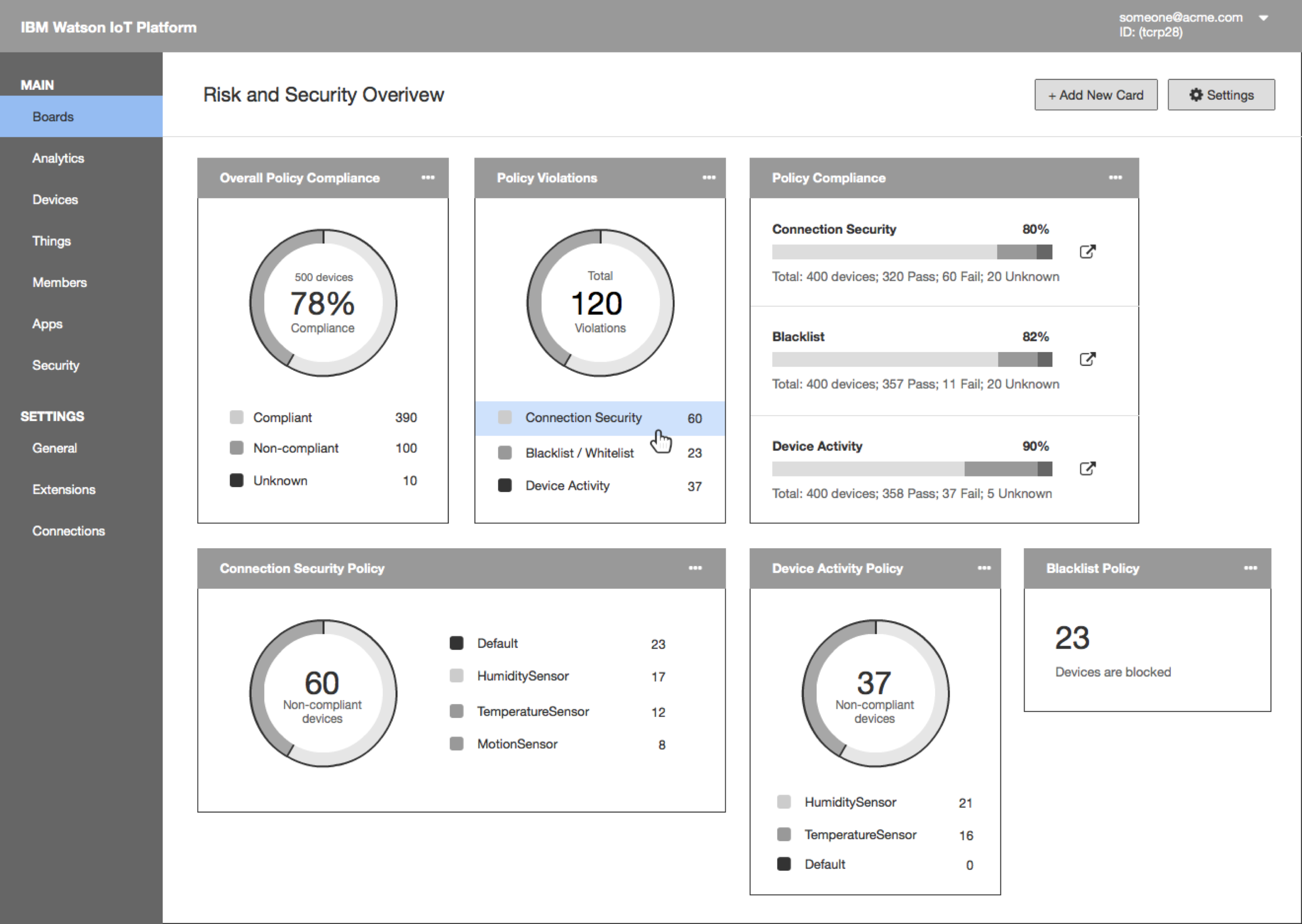
Sally sees that the Connection Security policy has the most violation. She drills down to find out more information. She clicks on Connection Security
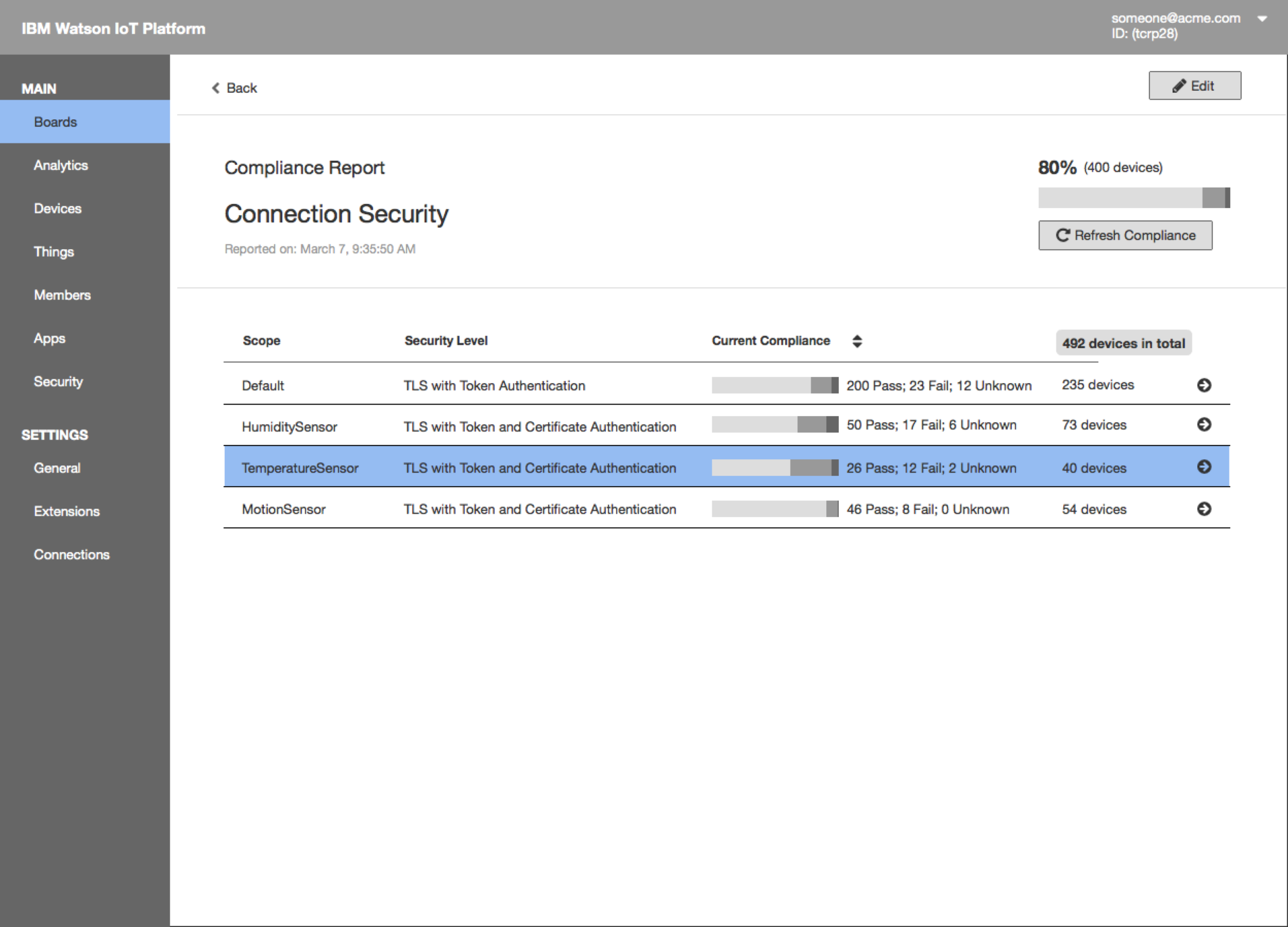
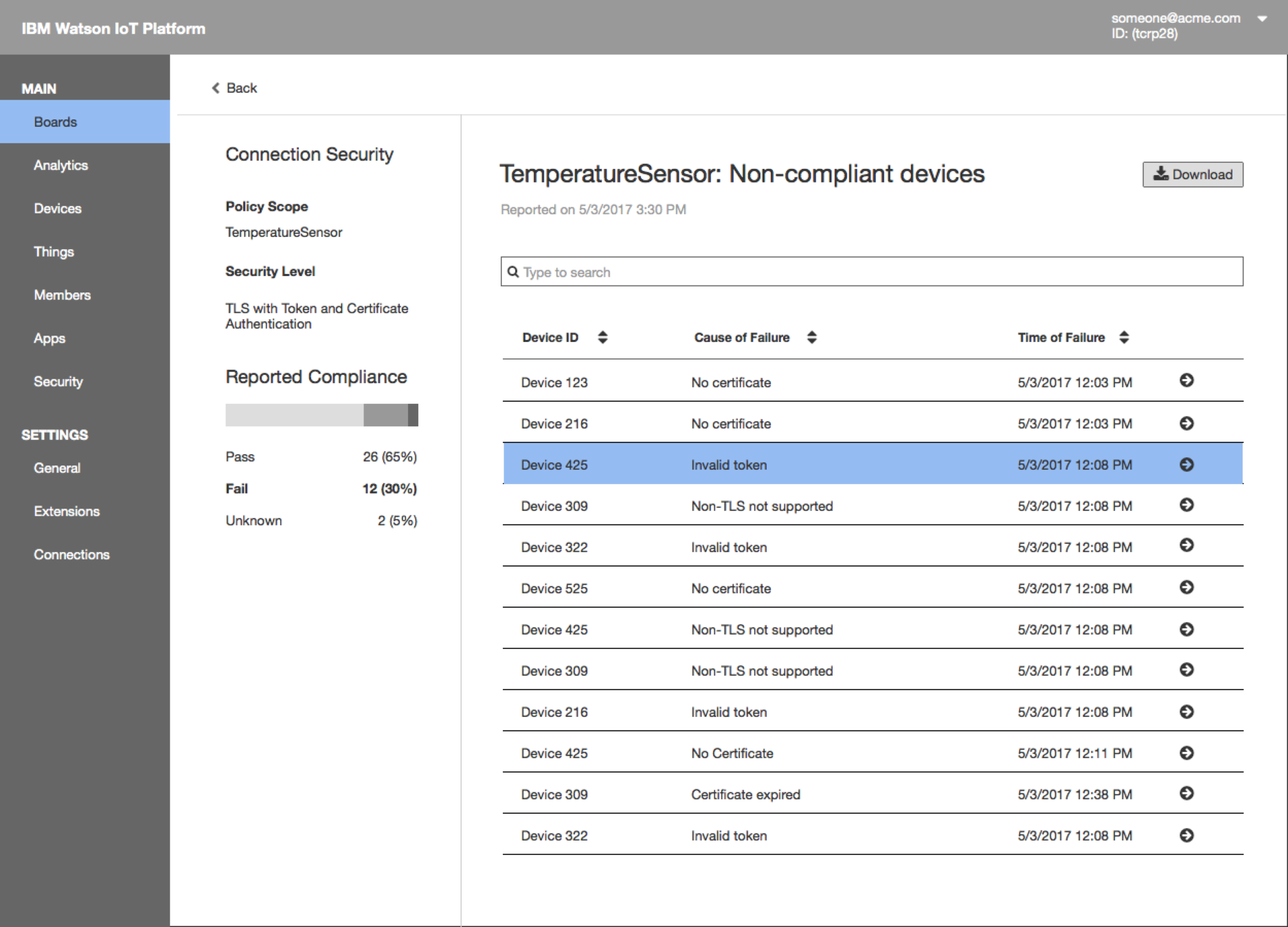
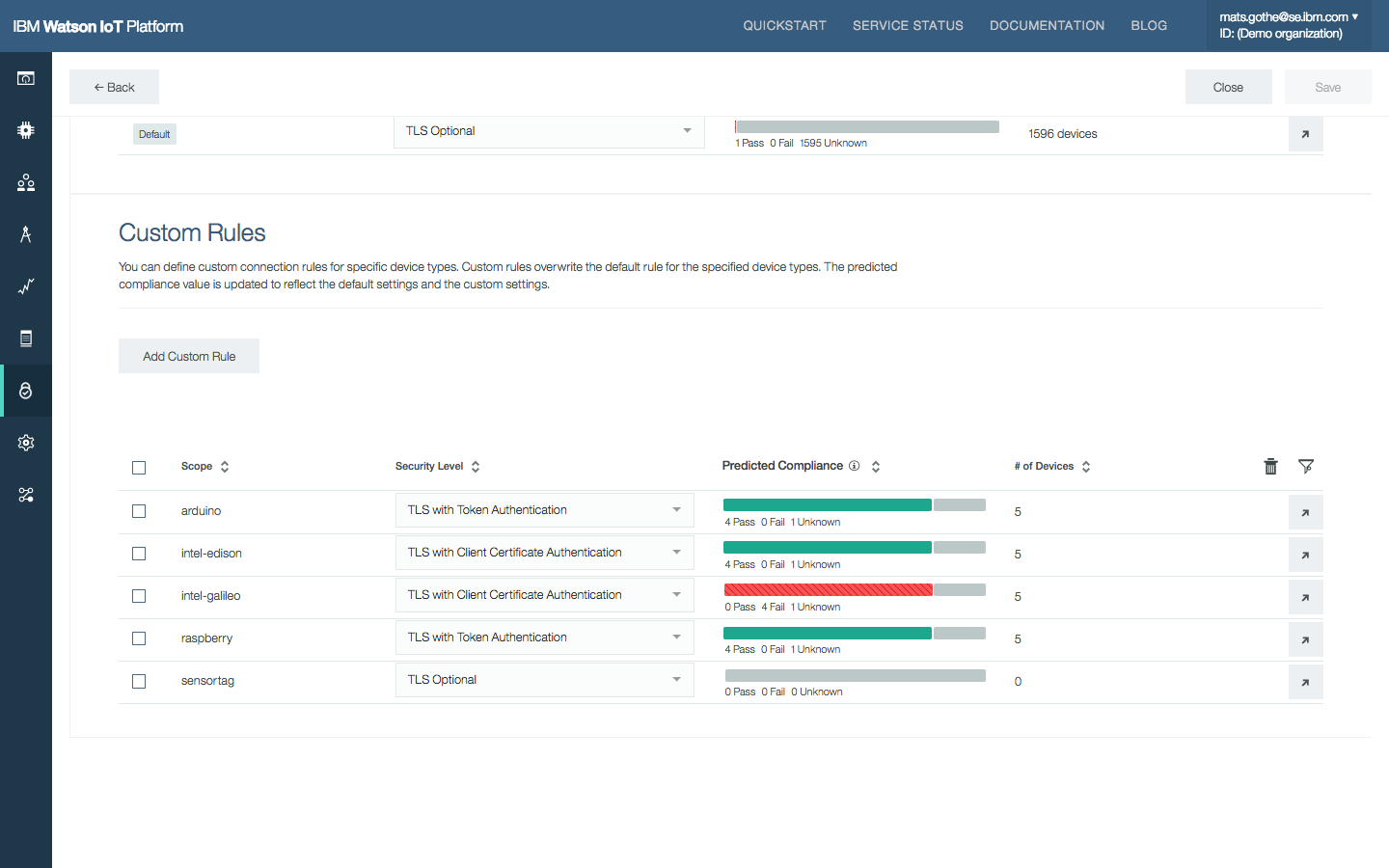
The compliance report shows overall compliance with the Connection Security policy and the current compliance for each rule. Sally clicks on a custom rule defined for TemperatureSensor device type to drill down to see all the devices that fail the default policy.
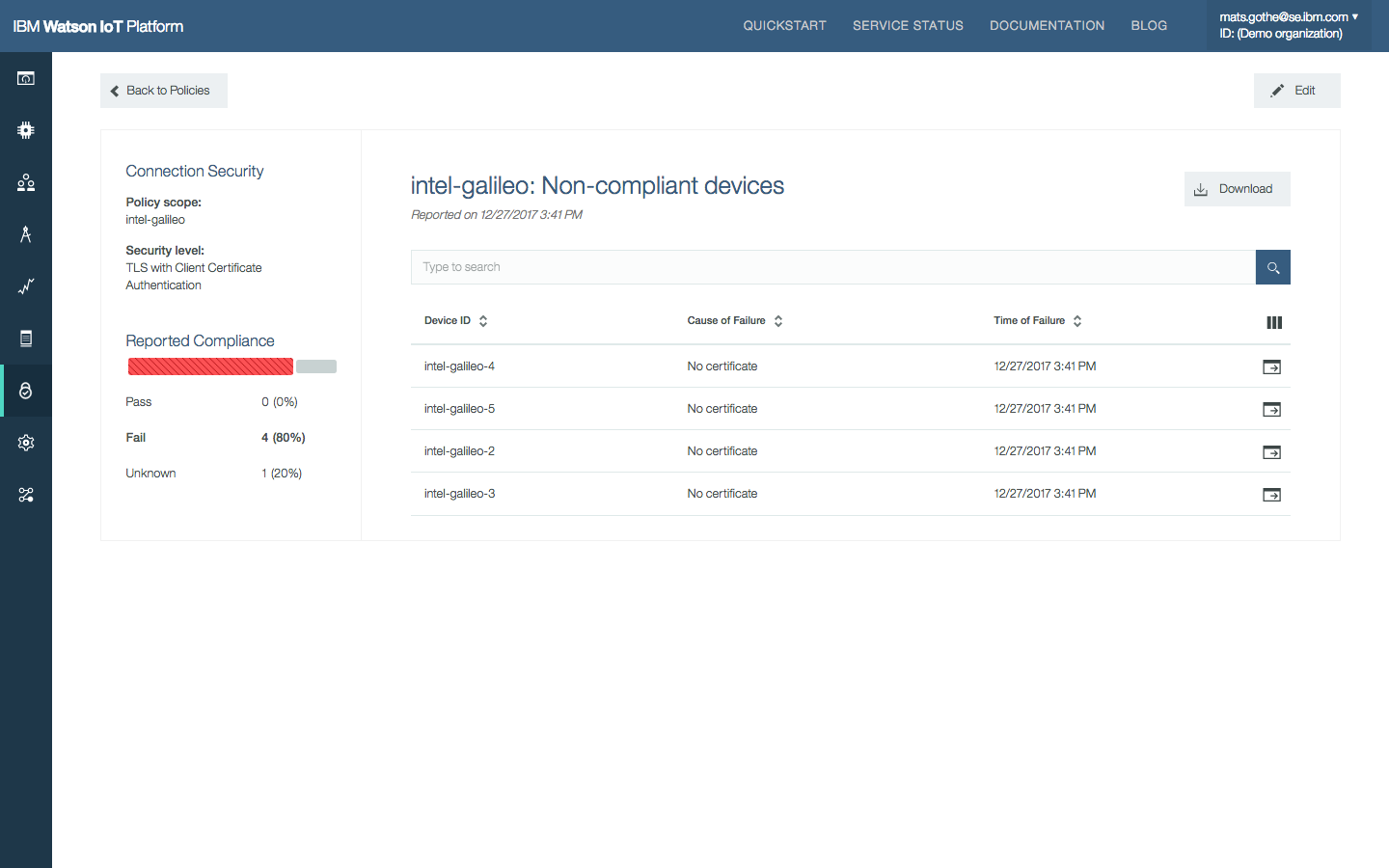
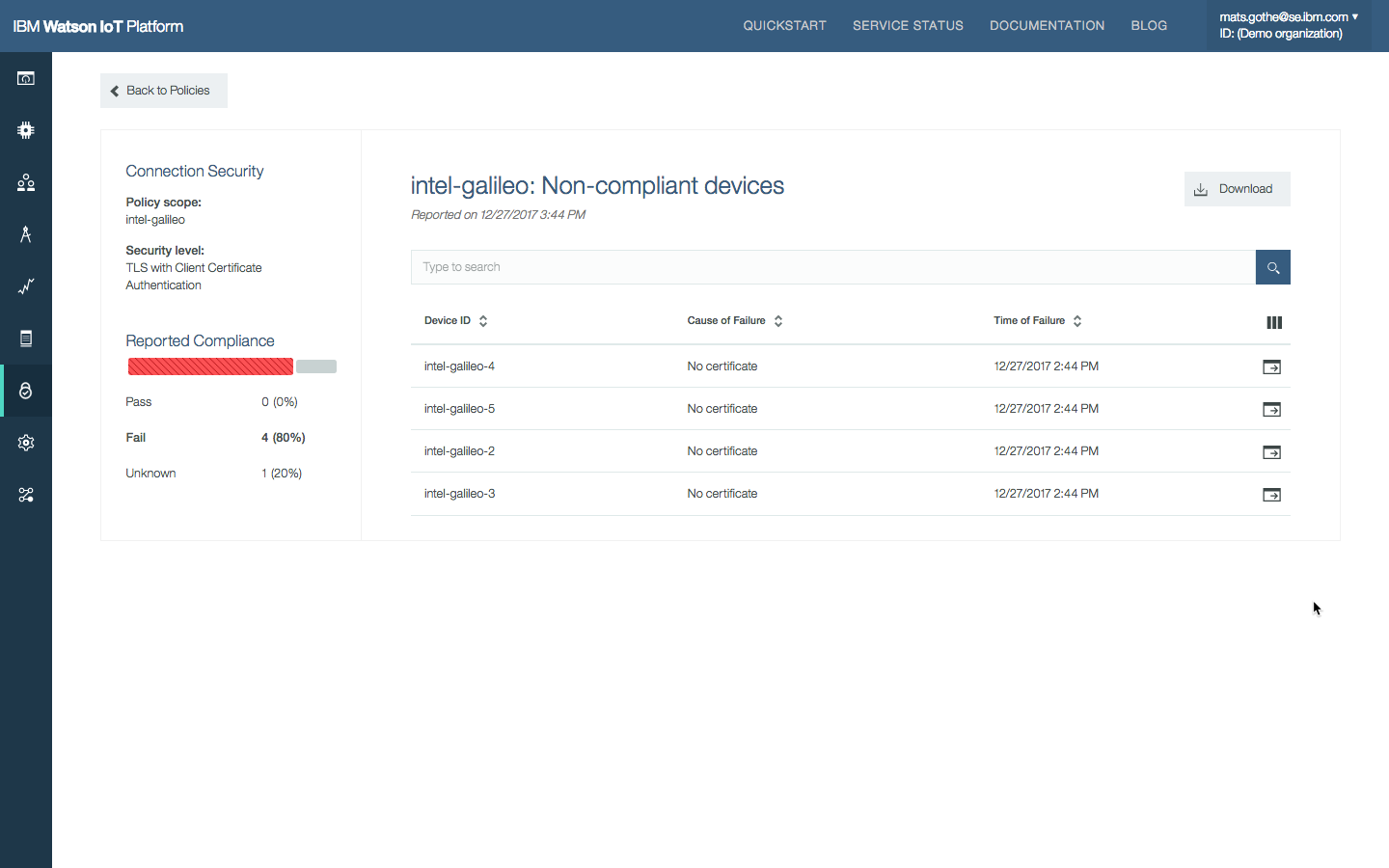
The next report presents a list of devices that fail the rule and the causes of failure.
Using the Watson IoT Platform Dashboard to view compliance.
View Policy Compliance from Policies Page
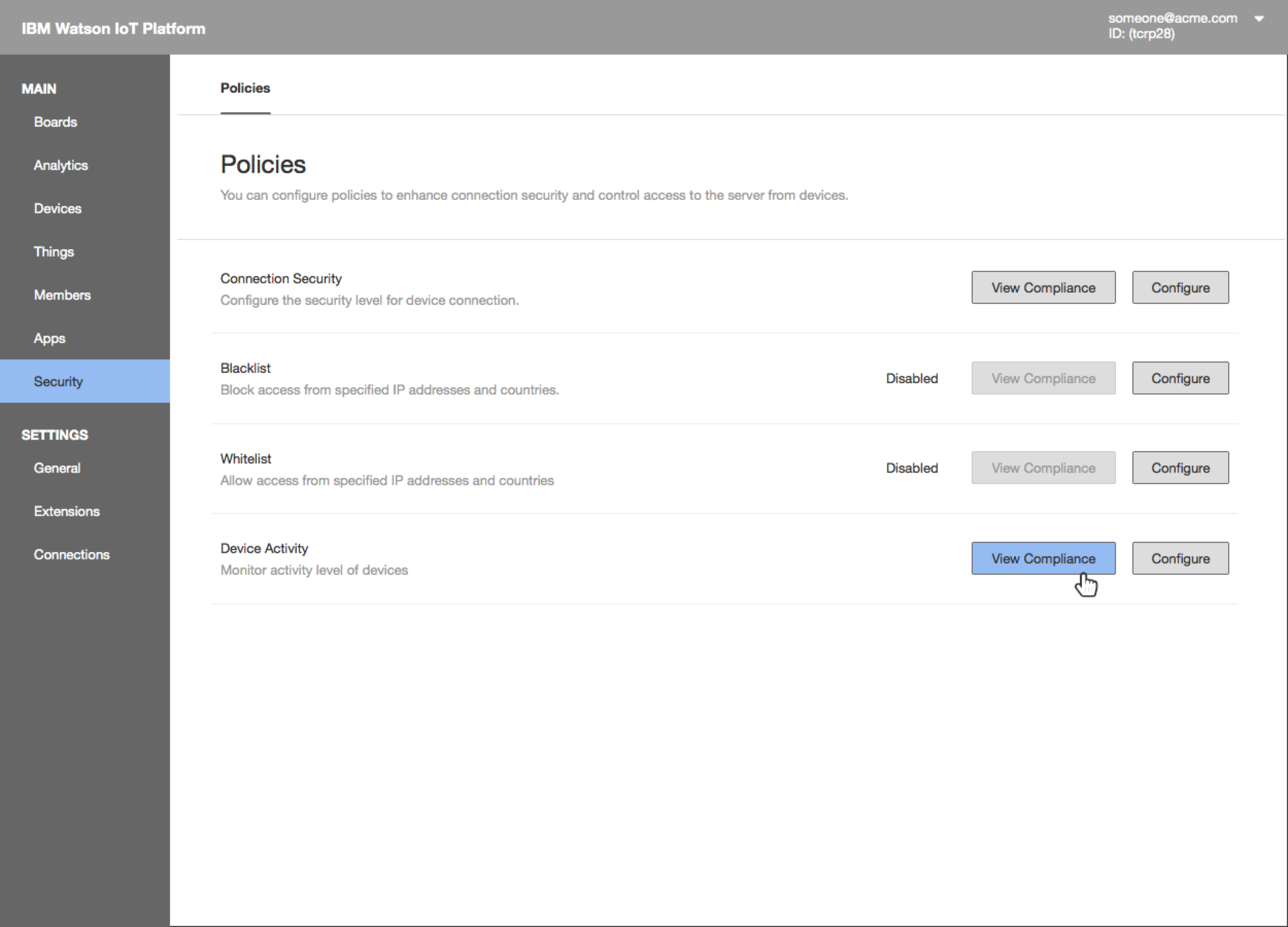
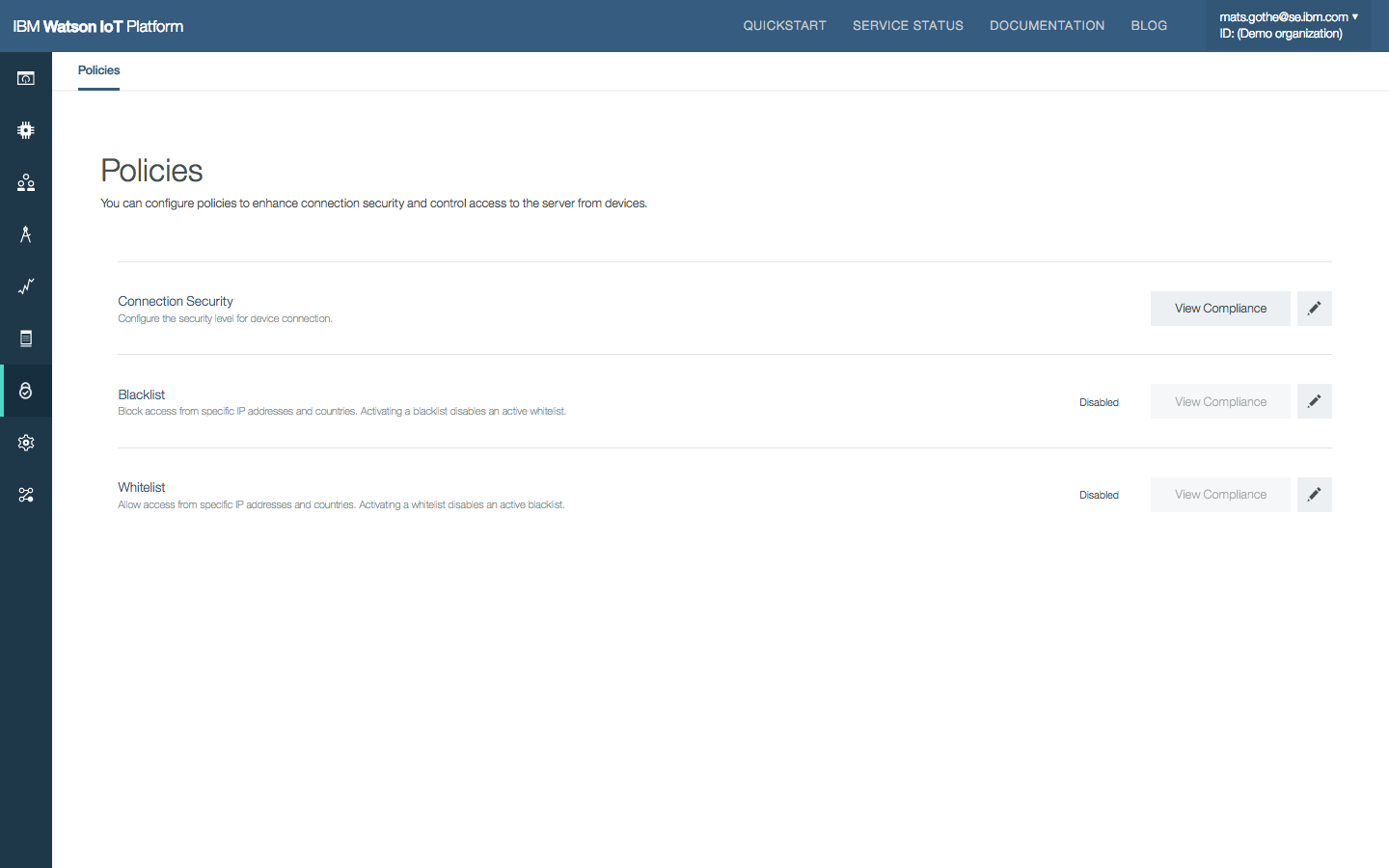
The Policies page in the Security section of the Watson IoT Platform provides an overview of Risk And Security Management policies.
Access the compliance report by clicking the “View Compliance” button.
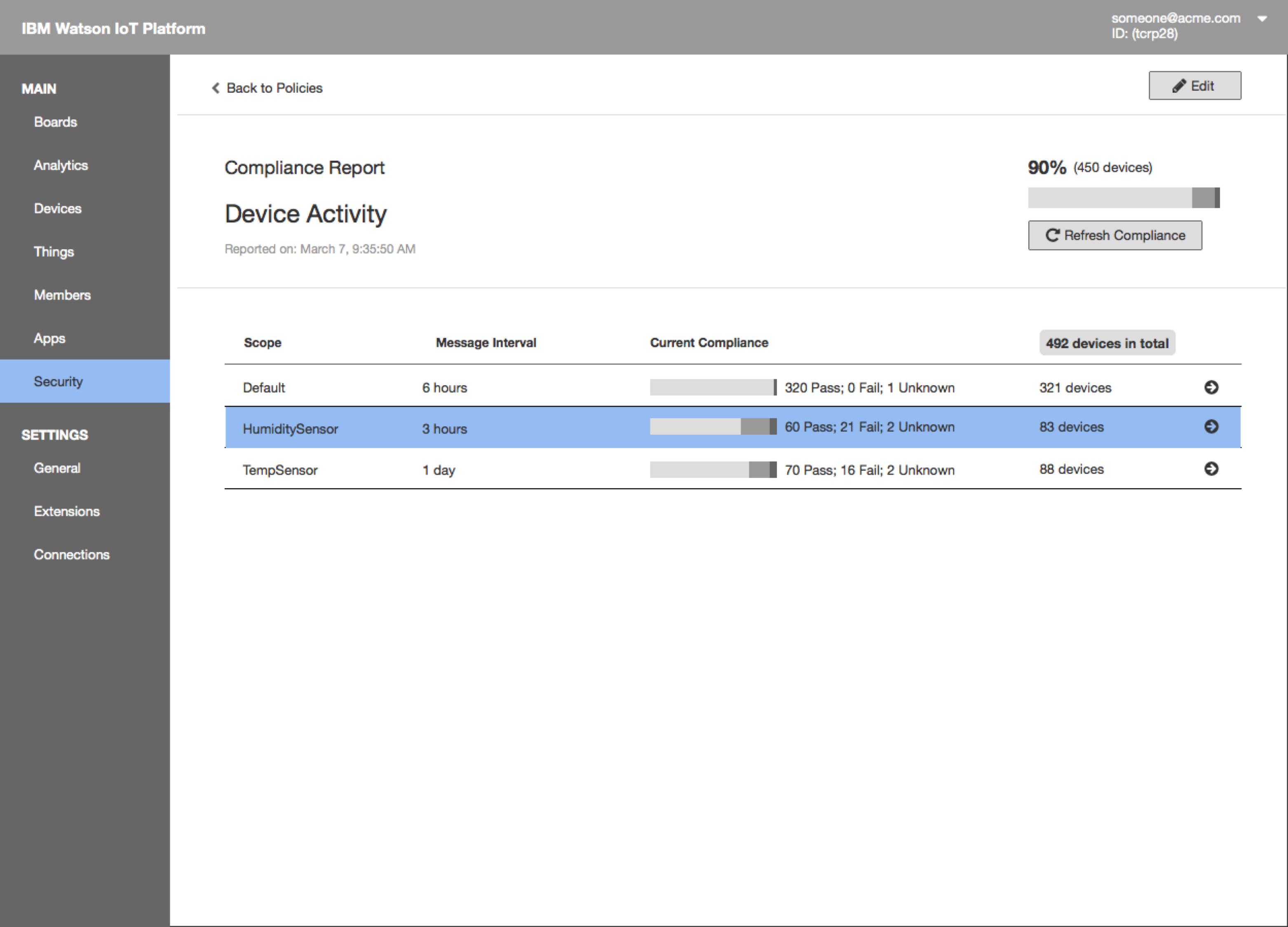
The compliance report shows overall compliance with the policy and the current compliance for each rule
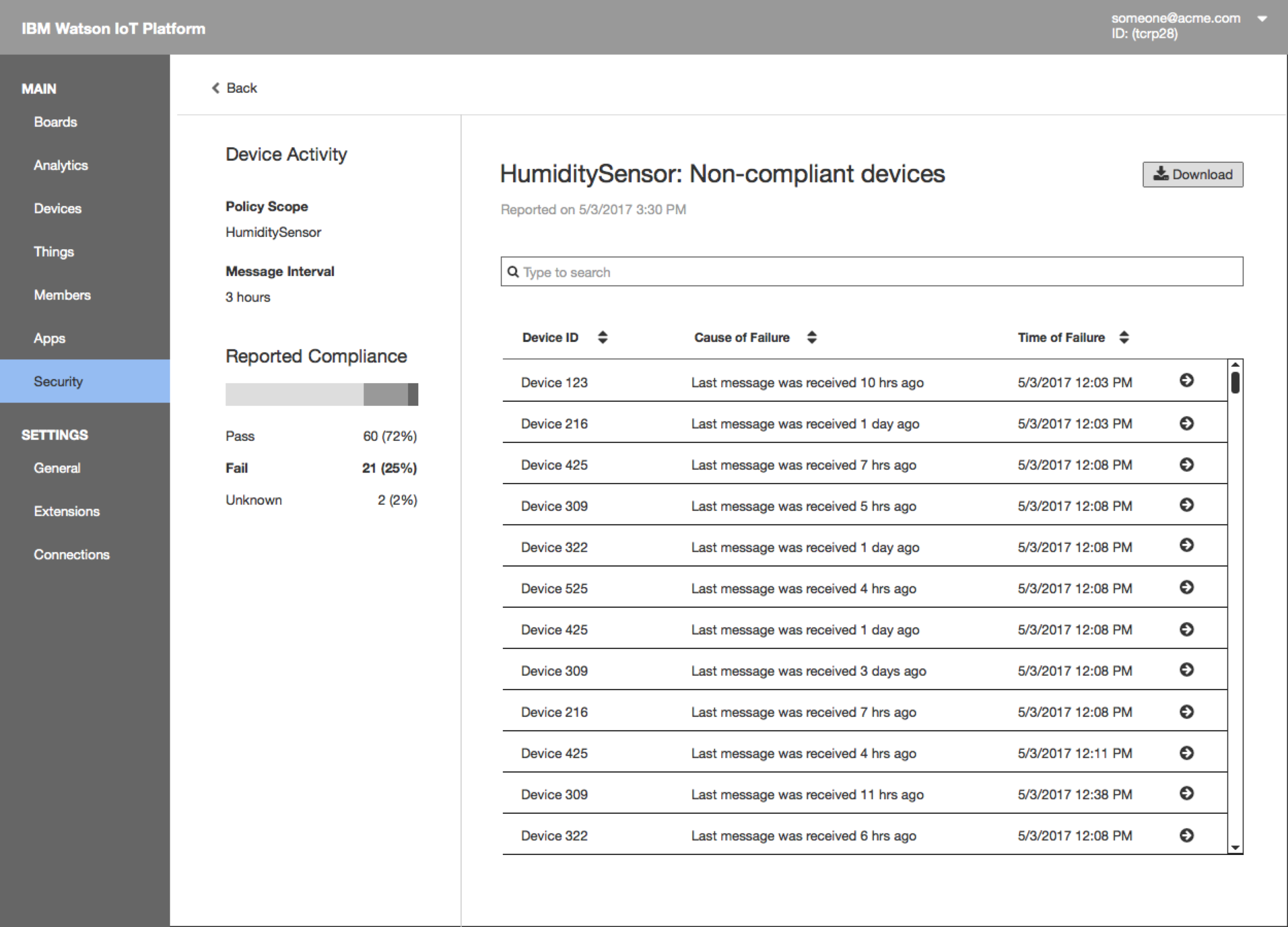
The next level of drill-down shows all the non-compliant devices that violated the rule. Search/filter/download the report.
Using the Watson IoT Platform Security Policy Editor to view compliance.
Final Production Design
Viewing compliance reports using the Dashboard in the Watson IoT Platform.
Viewing compliance reports using the Risk And Security Policies in the Watson IoT Platform.
Related Designs
Risk and Security Management Design The Watson IoT Platform Risk and Security Management provides an overview of compliance on policies and risks so that security administrators and operations personnel can quickly understand the security posture of their IoT deployment according to policies that they have configured within the Platform.
Watson IoT Platform Risk and Security Management Lab. DevZone Quick Lab at Think 2018 on Risk and Security Management.
Meet Sally the IoT System Operator.
Sally is one of the most frequently used operator personas in the design across the platform capabilities.
Also meet Adam the IoT Security Operator.
Risk and Security Management Design. Read more about the design of the Watson IoT Platform Risk and Security Management policies.
Watson IoT Platform Risk and Security Management Lab. DevZone Quick Lab at Think 2018 on Risk and Security Management.
In 2017 I performed design research on device health and activity for compliance policies and reporting in the Watson IoT Platform.
What is Device Activity
Businesses with IoT deployments have the challenge of ensuring that the entire IoT landscape operates within acceptable and expected boundaries. The consequences of IoT devices operating outside of defined criteria, or policies, could have a major impact on the security and operations of the overall IoT deployment.
The Watson IoT Platform allows the configuration of specific policies in relation to connection security. Device Activity is an indicator of device health. A device activity policy defines the expected behavior of devices and monitors for anomalies. This research identifies types of common device behavior and assesses the feasibility of various metrics for such behaviors.
Types of Device Activity
Device Activity events are
A device connects to the IoT platform
A device disconnects from the IoT platform
A device submits a message to the IoT platform
A device responds to a command from the IoT platform
Device connection events are
Devices connecting/disconnecting directly over MQTT
Devices connecting/disconnecting directly over HTTP REST calls*
Devices connecting/disconnecting through a Gateway*
* Only connections over MQTT are managed by the platform with a connection state. HTTP REST API calls do not keep a connection state. A Gateway keeps a connection state for its connection, but devices connected to the platform through the Gateway do not manage their individual connection states.
Connection Use-Cases
For devices connecting to the platform, we identify four typical kinds of behaviors
Online connection mode
Low power connection mode
Heartbeat connection mode
Gateways connection mode
For each kind above we assess the feasibility of three device activity metics
Time since last connected
Time since the last message
Service level
Online connection mode
The most common connection mode is the continuous online mode. This connection mode applies to devices directly instrumenting equipment to monitor and report on state. Devices continuously perform sensor readiness and send sensor data to the cloud.
Examples of such devices are sensors on the Factory floor, Medical, and Environmental applications. Such devices connect to the cloud and stay continuously connected to transfer new data. When disconnected, for example by a network disruption, the device seeks to re-establish the cloud connection when the network is restored. In summary,
Device types – Sensors for continuous state monitoring.
Device behavior – Online, periodic state events, instant reconnect.
Three metrics can be used to determine device activity and health.
Time since last connected
Time since the last message
Service level
The time since the last connected metric does not well capture the device behavior. A well-working device would in an ideal situation have infinite time since last connected, as the device never disconnects.
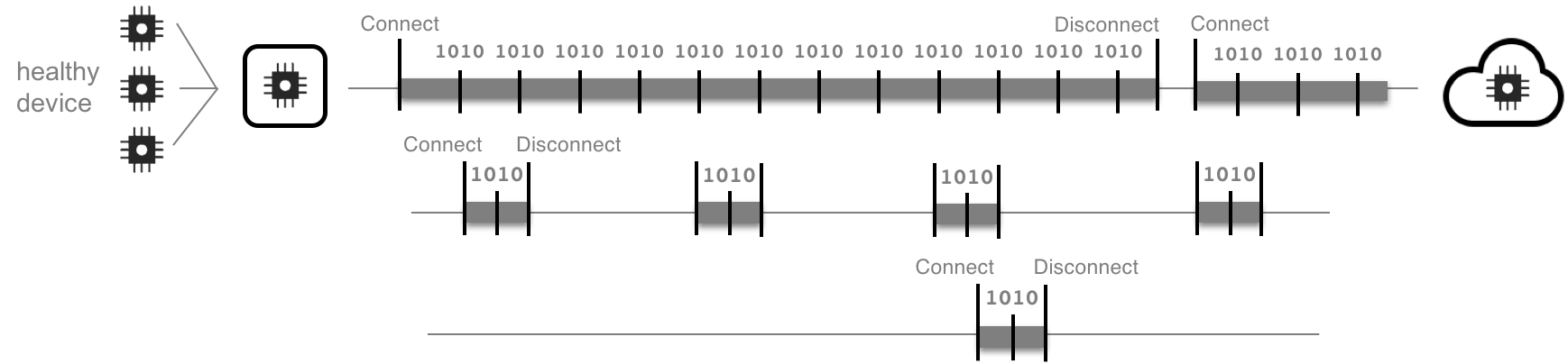
The time since the last message is a more meaningful metric. If the network connectivity is lost, messages will not be received by the cloud, hence indicating a device fault. If the device does not store and forward messages, there is a risk that messages will be lost in case the sample interval coincides with a network failure.
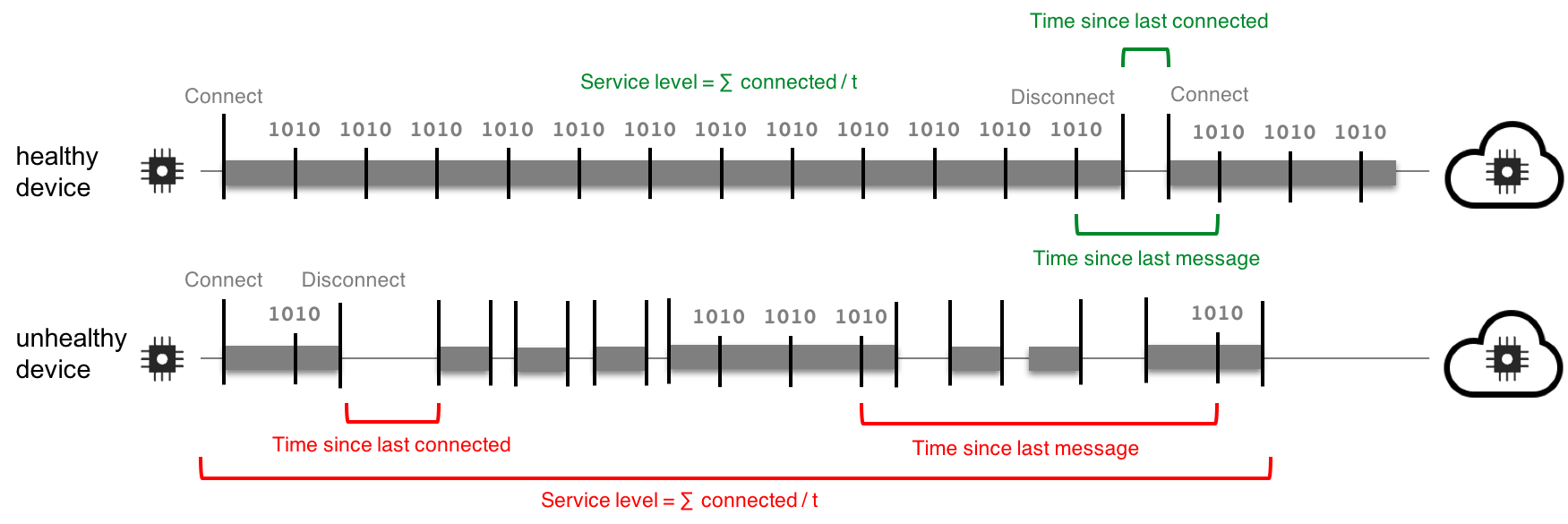
A metric of a service level, as the relation of connected time vs time, can be used as a metric of the reliability over time of the device and hence its health. The service level metric will catch reoccurring network failures.
Comparing messaging behavior and metrics for healthy and unhealthy devices that use an online connection mode.
In applications using battery-powered devices a more conservative power consumption design have to be applied. Devices will be challenged to stay online due to limitations in battery capacity, power consumption, and radio signal strength. Examples are battery-powered devices for Sigfox / LoRa networks. Such devices only connect, send a short state event message, and disconnect. In summary
Device types – Sensors for low-energy, low-frequency state monitoring.
Device behavior – Connect, send state event, disconnect.
Three metrics can be used to determine device activity and health.
Time since last connected
Time since the last message
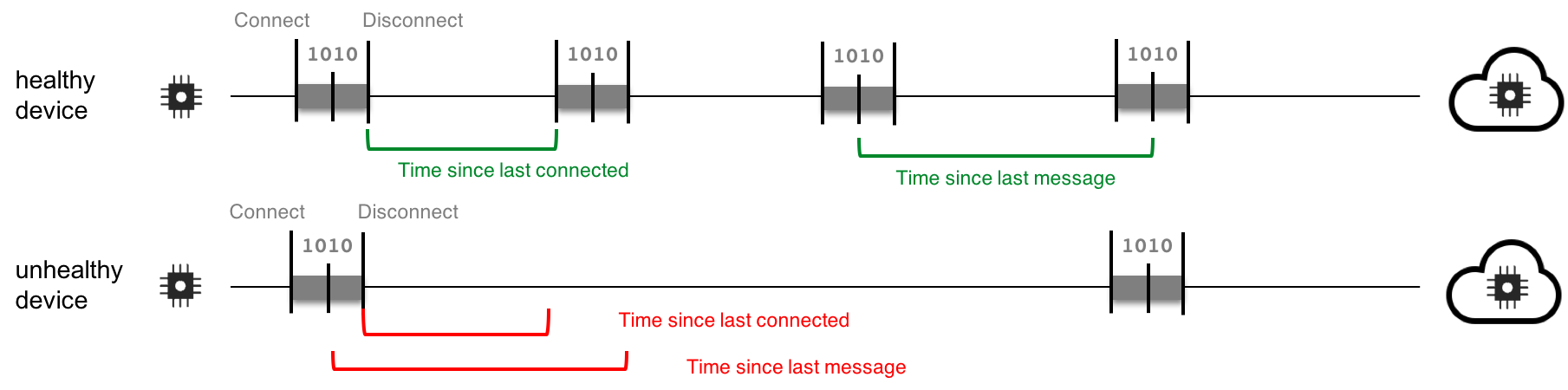
The time since the last connected metric works well to detect missing messages from devices. Likewise, the time since last message metric is more meaningful. A service level metric is not applicable as the device behavior is mainly to stay disconnected.
Comparing messaging behavior and metrics for healthy and unhealthy devices that use an off-line low power connection mode.
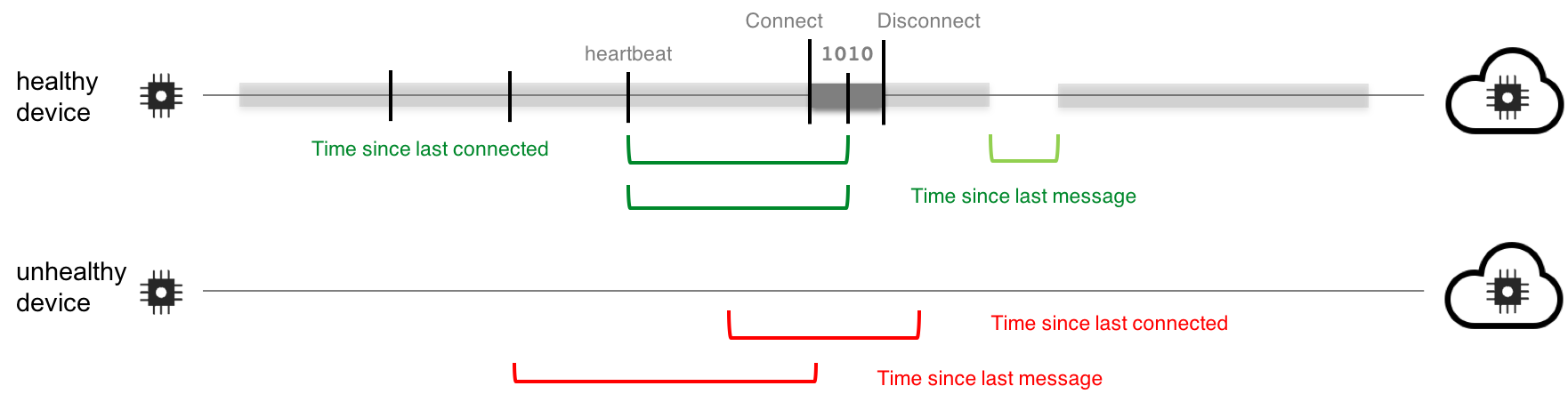
Devices used for monitoring might be designed to send Alert messages only when some exceptional condition is met. For example, Leak sensors, Panic buttons, Door alarms, Sensors in appliances. To improve reliability, such devices often send heartbeat messages indicating that the device/appliance is healthy. Some devices are designed to be online, others are constrained to conservative power or network use and only connect on-demand to send a heartbeat or an alert. In summary
Device types – Leak sensor, Panic button, Door alarms, Appliances
Three metrics can be used to determine device activity and health.
Time since last connected
Time since the last message
The time since last connected metric works well for offline device behavior (as above). Time since the last message/heartbeat is more meaningful. A service level metric is not applicable as the device behavior may be to stay disconnected.
Gateways are network devices that connect a variety of devices to the cloud. Gateways are used in many connection scenarios. For example, connecting devices over a range of protocols, implementing a bridge from the edge to the cloud, or even a bridge across IoT platforms. Gateways may also add messaging capabilities to improve reliability, like storing messages in a buffer if the gateway is disconnected and forwards buffered messages once the gateway reconnects. A gateway both improves device reliability, but also skews metrics on device activity and health.
A Gateway is a device that connects to the platform. It hence uses the three connection modes discussed above. The most common cause is the online connection mode. The gateway will hence have (be given) a device activity policy that is different from the devices that the gateway acts on behalf of.
Also, as discussed above, a Gateway keeps a connection state for its connection, but devices connected to the platform through the Gateway do not manage their individual connection states. This makes a device’s health metrics based on time since last connected problematic.
A device activity metric based on time since the last message is more valuable as applied to individual devices as well as the gateway itself. Such policies should be set individually for the gateway and the devices that connect through the gateway. Her devices may have a short time interval between messages, others may have longer time intervals, as indicated in the figure below.
Comparing messaging behavior and metrics for healthy and unhealthy devices that connect to the cloud using a gateway.
In our design research, we find the following consensus among our design partners
Importance of a Device Activity policy: Very Important
Most important device activity to measure: Time since last message
Minimum time window set for this policy; Set by type or instance. Minimally 1h time interval.
Importance to support devices connecting through a Gateway: Important
Most common device behavior: Always connected, periodic messages | disconnected in energy save mode | other protocols
Related Designs
Risk and Security Management Design. Read more about the design of the Watson IoT Platform Risk and Security Management policies.
Device Activity Policy Design. Read more about the design of the Device Activity Policy design for the Watson IoT Platform Risk and Security Management policies.
Device Activity Policy Design. Read more about the design of the Device Activity Policy design for the Watson IoT Platform Risk and Security Management policies.
Risk and Security Management Design. Read more about the design of the Watson IoT Platform Risk and Security Management policies.
The Watson IoT Platform design puts users first in researching their usage patterns, use cases, and needs. This round-table session will present and discuss the IoT Platform Information Management experience. Share your insights, needs, wants, and requests for managing the information and programming model on devices and things in the IBM Watson Internet of Things Platform!
The Watson IoT Platform design puts users first in researching their usage patterns, use cases, and needs. This roundtable session will present and discuss the IoT Platform Risk and Security Management experience. Share your insights, needs, wants, and requests for managing risk and security on devices and things in the IBM Watson Internet of Things Platform!
Design Round-Table – Internet of Things Platform Design
IBM Interconnect 2017 Conference Session IWT-2501
Design Round-Table – Internet of Things Platform Design
Abstract
The IBM Watson Internet of Things design team is continuously researching usage patterns, use- cases and experiences with the Watson IoT Platform. This round table session will present and discuss the IoT Platform capabilities and the design roadmap for 2017. Attendees will share their feedback and experiences with the IoT platform and discuss needs and requests for design enhancements.
IBM Interconnect 2017 Conference
Lab 2334 – Watson IoT Platform Risk and Security Management
Abstract
This lab will explore the new Risk and Security Management capability in Watson Internet of Things platform. You will get hands on experience on connecting devices, configuring client and server certificates, managing connection policies and tracking compliance to the configured security policies. You will also review the Risk and Security Management user experience and provide your feedback on the usability of the design.


 IoT Platform Developer Experience
 “All IoT Platform Design Partners strongly agree with the importance of simulated devices to their organisations and that the design meets their needs.”